
Understanding Color Print Images
Color print images are visual representations produced through printing processes that utilize multiple ink colors to create detailed and vibrant visuals. These images are fundamental in various industries, including marketing, branding, photography, and publishing. The primary goal of a high-quality color print image is to accurately reproduce the original artwork, photograph, or design with precise color fidelity and vibrancy.
Achieving optimal color accuracy in print images involves meticulous management of color profiles and calibration processes. Misalignment in color reproduction can lead to dull, faded, or overly saturated outputs that do not faithfully reflect the intended design. Therefore, understanding the components of a color print image is essential for anyone aiming to produce professional-grade results.
The role of color accuracy is particularly critical when aligning printed outputs with digital designs. When creating a color print image, designers and print operators must consider the color space, calibration of their equipment, and the consistency of ink application. Vibrancy, on the other hand, enhances the visual appeal by ensuring that colors pop and retain their richness across different substrates and lighting conditions.
Proper color management ensures that colors remain consistent from digital design to physical print. This involves using standardized color profiles and test prints to fine-tune the output. The importance of vibrancy should not be underestimated, as it significantly influences the overall impact of the print, especially in marketing materials where eye-catching visuals are key.
In professional printing services, such as those provided by SingaporePrinting.org, various steps are taken to guarantee that each print meets high standards of color fidelity and vibrancy. These services utilize advanced equipment and strict quality control processes to deliver color print images that exceed expectations.
A well-executed color print image provides clarity and depth, making printed materials more attractive and effective in communicating their message. Whether for posters, product packaging, or photographic prints, understanding the importance of color accuracy and vibrancy forms the foundation for producing impressive, high-quality prints that resonate with their intended audience.

Color Management and Calibration
Achieving consistent and vibrant color print images begins with meticulous color management and calibration processes. Color management involves using precise color profiles that define how colors are represented across different devices, ensuring fidelity from digital design to physical print. This entails the implementation of ICC profiles tailored to specific printers, inks, and substrates to maintain color accuracy.
Calibration of printing equipment is equally crucial. Regular calibration routines involve printing test sheets and comparing the results against standard color references. Adjustments are then made to the printer settings and ink levels to correct any deviations. This process reduces color shifts and ensures predictable output, which is essential for branding consistency and detailed photographic reproductions.

Professionals often rely on specialized software solutions that facilitate precise color management workflows. These tools assist in embedding accurate color profiles into digital files and monitor output during the printing process. Such measures are vital for maintaining high standards for color print images, especially in environments where color accuracy directly impacts client satisfaction.
Choosing the Right Color Mode and Resolution
Selecting the appropriate color mode, such as CMYK for printing purposes, significantly influences the quality and vibrancy of the final image. CMYK color space is specifically designed for print, allowing for a wider gamut of colors that can be accurately reproduced on physical media. RGB, on the other hand, is suitable for digital displays but requires conversion for print.
Resolution also plays a key role in producing detailed and sharp color print images. A standard resolution of 300 dots per inch (DPI) is generally recommended for high-quality prints, providing the necessary level of detail and depth. Lower resolutions may result in pixelation or a loss of vibrancy, especially when printing large-format images.
When preparing files for printing, professionals ensure that the selected color mode is consistent with the intended output, and the resolution is appropriate for the size and viewing distance of the final piece. This disciplined approach guarantees that color print images meet both aesthetic and technical standards, yielding prints that are visually striking and accurate.
Material and Surface Considerations
Selection of the appropriate printing material and surface significantly impacts the vibrancy and durability of color print images. Different substrates absorb inks in various ways, influencing color accuracy and overall appearance. For instance, glossy surfaces such as photo paper or certain synthetic media tend to enhance color sharpness and gloss, producing images with rich, vibrant hues and high contrast. Conversely, matte surfaces offer a subdued, softer finish that can reduce glare and improve visibility under different lighting conditions, though sometimes at the expense of vibrancy.
Understanding the physical properties of printing materials allows for optimal image output. Coated papers are often preferred for high-quality color images because their smooth surface enables even ink absorption, preventing bleeding and ensuring precise color placement. In contrast, uncoated papers may absorb more ink, resulting in muted colors and less defined details.
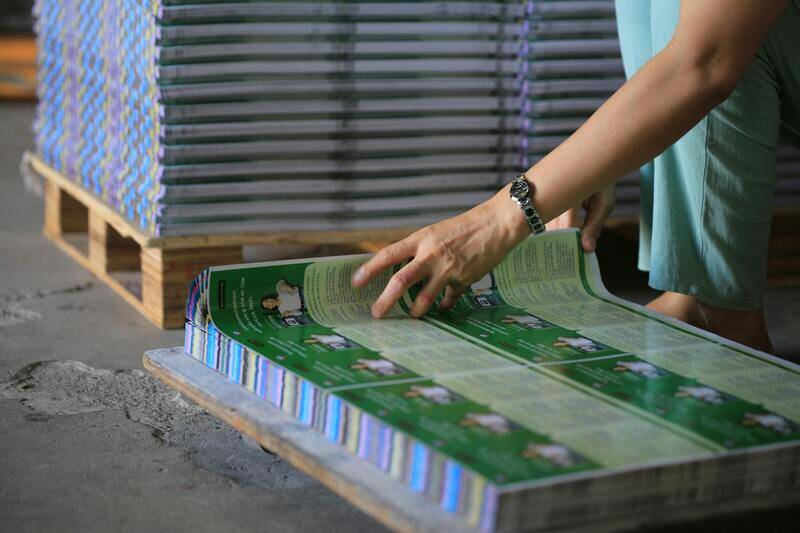
Moreover, the choice of material impacts the longevity and resistance to environmental factors like moisture, light, and handling. For applications requiring long-lasting prints, such as displays or archival pieces, selecting UV-resistant or waterproof materials can preserve the integrity of the color print image over time.
Specialty surfaces like canvas or textured papers can add unique tactile qualities, offering an artistic dimension to color prints. When printing on unconventional surfaces, it is essential to choose compatible inks and printing processes to maintain color fidelity and prevent misalignment or bleed-through issues.
Common Issues in Color Printing and Solutions
Color inconsistency, banding, and ink bleed are frequent challenges in producing high-quality color print images. Addressing these issues involves systematic troubleshooting and the implementation of best practices.
- Color Mismatch: Variations between digital files and printed output often stem from unmanaged color profiles. Ensuring correct color profile embedding in files and proper calibration of printers helps achieve accurate color reproduction.
- Banding and Streaks: These occur due to insufficient ink distribution or printer maintenance issues. Regular cleaning and maintenance of print heads, along with using compatible inks, can minimize these problems.
- Bleeding and Blurring: Incompatible surface materials or over-application of ink cause bleeding. Fine-tuning the printing settings—such as ink density and drying times—can improve image sharpness.
Implementing quality control measures and routinely calibrating the printing equipment ensure consistent, vibrant, and precise color prints. Proper training for operators and adherence to manufacturer guidelines also contribute to higher standards in color printing.
Advancements in Color Printing Technology
Recent innovations have revolutionized color print image production, introducing digital presses with higher resolutions, expanded color gamuts, and faster processing speeds. Multi-ink systems now incorporate additional colorants beyond the traditional CMYK, such as orange, green, or violet, to broaden the achievable spectrum and produce more accurate and dynamic colors.
Moreover, the development of UV and LED curing technologies allows for immediate drying and fixing of inks, reducing smudging and enabling printing on diverse materials. Hybrid printing methods combining digital and traditional techniques facilitate the creation of complex, detailed color images with exceptional vibrancy.
Incorporating automation and AI-driven color management systems improves consistency and reduces human error during the printing process. These technological advances ensure that each color print image achieves the desired quality, accuracy, and lifespan, meeting the high standards required for diverse professional applications.
Optimizing Color Print Image Quality Through Professional Methods
Utilizing Proper File Preparation for Superior Results
Ensuring the technical readiness of your digital files is fundamental to achieving vibrant and accurate color prints. When preparing images for professional color printing, it is essential to work within established color spaces, predominantly CMYK for print applications, as it aligns with the capabilities of most printing technologies. Converting images from RGB to CMYK prior to the printing process helps in predicting and controlling how colors will appear once printed, reducing surprises that can occur when files are processed directly from RGB settings.
Adjustments to resolution are equally critical. A minimum of 300 dots per inch (dpi) is recommended for high-quality print images to maintain sharpness and detail. Lower resolutions tend to produce pixelated and blurry results, especially when enlarging images for bigger formats. Additionally, attention should be paid to color profiles embedded within the files, such as Adobe RGB or sRGB, which need to be converted appropriately to match printing standards, ensuring consistent color reproduction under various lighting conditions.
Choosing Appropriate Paper and Printing Substrate
Material selection dramatically influences the outcome of color print images. Different substrates absorb ink differently, impacting vibrancy, sharpness, and longevity of the print. Glossy and semi-glossy papers typically enhance the richness and depth of colors by providing a smooth surface that reflects light uniformly. Matte papers, on the other hand, offer a softer appearance and are less prone to glare, making them ideal for detailed images or professional portfolios.
Specialty materials such as synthetic surfaces, canvas, or textured papers require specific printing techniques—often involving UV curing or solvent-based inks—to achieve optimal results. Properly matching the ink type and drying process to the chosen substrate ensures color stability and prevents issues like smudging or ink bleeding, which can compromise the overall image quality.
Implementing Rigorous Quality Control Processes
Professional color printing involves multiple stages of quality control to confirm that every detail aligns with expected standards. This begins with calibrating printers and monitoring ink levels regularly to avoid color inconsistencies or fading. It is also crucial to utilize color calibration tools and spectrophotometers to check color accuracy throughout the production process.
Proofing is an essential step where digital proofs or small-scale test prints are used to evaluate color fidelity before committing to large runs. This allows operators to make precise adjustments concerning color balance, contrast, and saturation, ensuring the final print matches the intended visual outcome. Continuous training for operators and adherence to meticulous workflow protocols significantly contribute to producing high-quality, professional-grade color images.
Maintaining Accurate Color Reproduction in Print Images
Achieving precise color output in printed images necessitates comprehensive color management strategies. This begins with utilizing calibrated color profiles and standardized color spaces, such as Adobe RGB or sRGB, which serve as benchmarks for color accuracy during digital file preparation. Employing high-quality color calibration tools, including spectrophotometers, ensures that the monitor used for preparing artwork reflects real-world color output accurately, minimizing discrepancies between digital files and the final printed piece.
Color consistency across different devices and media is critical, especially when reproducing complex images or branding elements. To attain this, printers should adhere to industry-standard color management workflows, incorporating ICC profiles tailored to specific printers and substrates. These profiles facilitate consistent color mapping, ensuring the vibrant hues and subtle tonal variations of the original image are preserved during printing.

Another vital aspect involves regular maintenance of printing equipment. Routine cleaning of printheads and nozzles prevents clogs that can cause color inconsistencies or streaks. Monitoring ink levels and replacing cartridges before they run out helps maintain stable color output, avoiding unexpected variations. When planning large-scale print jobs, conducting test prints prior to the final run enables operators to detect and correct color deviations early, safeguarding the integrity of the project.
Ensuring Color Durability and Longevity
To preserve color vibrancy over time, selecting appropriate inks and substrates plays a pivotal role. Pigment-based inks, compared to dye-based counterparts, offer superior resistance to fading caused by light exposure and environmental factors. Similarly, using archival-quality papers or materials that resist UV damage enhances the longevity of the printed images, making them suitable for displays or archival purposes.
Protective coatings or laminates can further shield color print images from scratches, moisture, and UV radiation, extending their visual appeal and durability. When handling and storing printed materials, keeping them away from direct sunlight, extreme temperatures, and high humidity environments will significantly reduce the risk of color degradation. Implementing these practices ensures that high-quality color images retain their brilliance over their intended lifespan.
High-Resolution Output for Fine Detail Clarity
Resolution management is crucial for capturing minute details and maintaining overall image clarity. Typically, a resolution of 300 DPI (dots per inch) is recommended for high-quality color prints, especially for professional portfolios, photographic reproductions, or detailed artwork. Higher resolutions, such as 600 DPI, can be utilized for images requiring extraordinary detail preservation, although this may increase printing time and ink consumption.
Adjusting resolution settings before printing ensures that each pixel contributes optimally to the final image quality. When preparing digital files, it is vital to work with original, high-resolution copies to prevent pixelation or blurriness in the printed output. Scaling images appropriately within the file ensures that they conform to the intended print size without compromising sharpness or clarity.
Understanding Color Print Images
Color print images are visual representations that utilize a variety of color techniques to produce lifelike, vibrant, and detailed reproductions of original artworks, photographs, or graphical designs. Achieving superior color fidelity requires precise control over the printing process, from color matching to material selection. The goal is to translate digital color data into physical form without significant deviation, ensuring that the printed output accurately reflects the intended visual experience.
In the realm of professional printing, the expertise lies in managing subtle color gradations, preserving tone accuracy, and preventing unwanted color shifts. This necessitates a thorough understanding of color science, printing mechanisms, and the characteristics of different printing substrates. Whether producing marketing materials, fine art reproductions, or detailed photographic prints, the emphasis remains on clarity, vibrancy, and durability of the colors rendered.
Types of Printing Technologies for Color Images
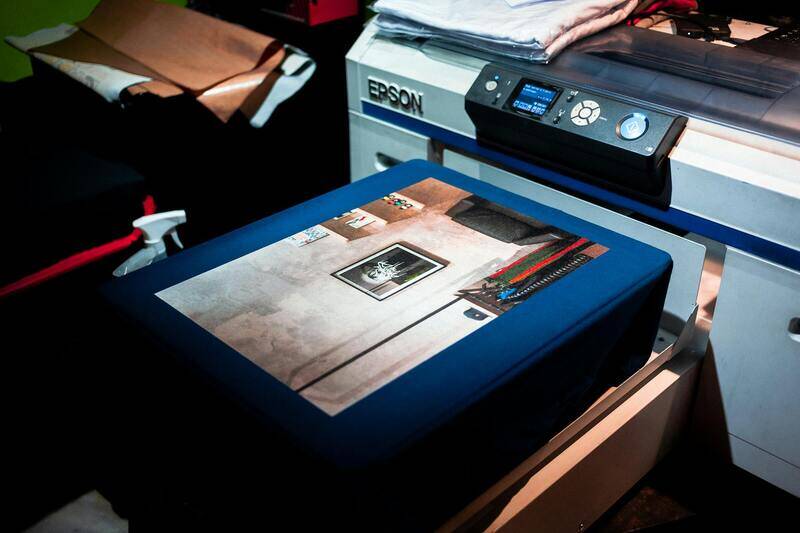
Several printing technologies are utilized to generate high-quality color print images, each with specific advantages suited to different project requirements:
- Inkjet Printing: Popular for its ability to produce detailed, vibrant images on a wide range of substrates, inkjet printers are ideal for photographic prints, fine art reproductions, and promotional materials. They utilize liquid inks delivered through nozzles, allowing precise color blending and gradation control.
- Laser Printing: Known for speed and efficiency, laser printers use electrostatic charges to transfer toner to paper. They are well-suited for high-volume color printing with consistent output quality, often used in commercial and office environments.
- Dye Sublimation: Primarily used for producing vivid, durable images on fabrics and certain coatings, dye sublimation involves turning dye into gas and embedding it into the material. It is preferred for personalized merchandise such as photo panels and apparel.
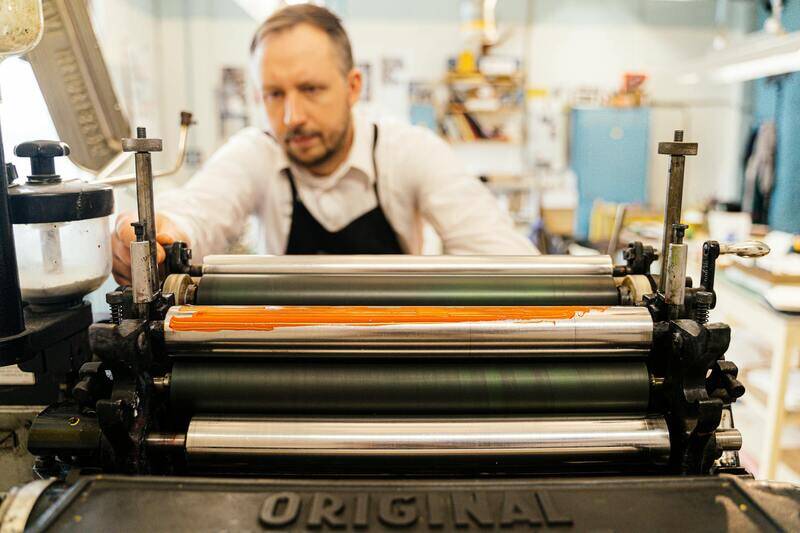
- Flexographic and Offset Printing: These methods are standard in large-scale commercial printing, providing high throughput and consistent color reproduction, especially for packaging, magazines, and catalogs. They can handle a variety of substrates, including paper, plastics, and foil.
Figure demonstrating different printing technologies

Color Management and Calibration
Achieving accurate color representation involves meticulous calibration of printing equipment and adherence to standardized color workflows. Color management systems (CMS) are integral, providing a framework for translating digital color data into printable output while maintaining visual consistency across different devices and media.
Regular calibration of scanners, monitors, and printers ensures that each component accurately reflects color information, minimizing discrepancies. This process often involves using color target charts and software tools that analyze and adjust device output, resulting in harmonious color reproduction from digital file to printed material.
Color profile application
Embedding appropriate color profiles within digital files guarantees consistent color appearance across various devices and platforms, thereby preserving the artistic intent and branding standards.
Choosing the Right Color Mode and Resolution
Selecting an optimal color mode and resolution is essential for high-quality color print images. Common color modes include RGB (Red, Green, Blue) for digital displays and CMYK (Cyan, Magenta, Yellow, Key/Black) for print production. Converting digital files from RGB to CMYK may be necessary to align with the printing process and ensure color accuracy.
Resolution, measured in DPI (dots per inch), impacts the clarity and detail of the printed image. For standard photographic quality, 300 DPI is generally recommended; higher resolutions, such as 600 DPI, can be beneficial for images with intricate detail or large-format output. Ensuring that digital files are prepared at the appropriate resolution prevents pixelation and maintains overall sharpness.
Optimizing file preparation
Properly working with high-resolution images and embedding the correct color profile prior to printing guarantees that the final output will be sharp, vibrant, and faithful to the original design intent.

Understanding Color Print Images
Color print images are the visual representations of digital artwork, photographs, or graphic designs that are intended to be reproduced on physical media with vibrant, accurate colors. Achieving high-quality color reproduction requires a comprehensive understanding of how digital color data translates into real-world prints. This encompasses factors such as color profiles, digital file preparation, and the choice of printing materials and processes. An accurate color print image maintains the integrity of the original design, ensuring that variations in lighting, viewing conditions, or printing equipment do not distort the visual message.
Types of Printing Technologies for Color Images
The core technologies utilized for color printing encompass several advanced methods, each suitable for different applications, materials, and quality requirements:
- Inkjet Printing: Predominantly used for high-fidelity reproductions, inkjet printers employ tiny nozzles to deposit precise amounts of liquid ink onto various substrates. They are favored for their ability to produce detailed, color-rich images suitable for photographs, fine art, and promotional materials.
- Laser Printing: Known for speed and efficiency, laser printers utilize a dry toner electrostatically transferred onto paper. While traditionally associated with text documents, modern color laser printers can produce vibrant images suitable for commercial uses where speed is prioritized.
- UV Printing: UV printing involves curing ink with ultraviolet light immediately after application. This method allows printing on an array of surfaces, including transparent and textured materials, delivering crisp, durable color images ideal for retail displays and signage.
- Dye Sublimation: This technique involves turning dye-based inks into gas without passing through a liquid stage, which is then embedded into materials like fabric, ceramic, or metal. It produces vivid, long-lasting color images suitable for personalized merchandise and textiles.

Color Management and Calibration
Implementing proper color management is essential for consistent color reproduction across digital design and print production workflows. Accurate color management begins with capturing the original colors correctly via calibrated monitors and digital cameras. Embedding accurate color profiles (such as ICC profiles) within digital files ensures that software and hardware interpret color data uniformly, minimizing discrepancies. Calibration of printers and monitors regularly ensures that the colors displayed on screens match the printed output, reducing the need for multiple proofing iterations. This synchronization is vital when reproducing brand colors, detailed artwork, or photographs where color fidelity directly influences visual impact and message clarity.

Choosing the Right Color Mode and Resolution
The selection of the appropriate color mode and resolution plays a pivotal role in producing optimal color print images. Typically, digital designs prepared for printing are converted from RGB (Red, Green, Blue) used in digital screens to CMYK (Cyan, Magenta, Yellow, Key/Black) used in printing processes. This conversion enables accurate color rendering, especially for complex color gradients and saturated hues. Adjusting the resolution, measured in dots per inch (DPI), ensures sharp, detailed images. Standard photographic prints usually require a minimum of 300 DPI for clarity, while larger or more detailed formats may benefit from resolutions up to 600 DPI. Properly setting these parameters during file preparation prevents pixelation, blurring, and color mismatches, resulting in consistent, high-quality outputs.
Material and Surface Considerations
The choice of printing substrate significantly impacts the appearance and longevity of color print images. Glossy, matte, and satin finishes each reflect light differently, affecting perceived color vibrancy. For high-resolution photos, glossy paper enhances color depth and contrast, while matte surfaces reduce glare and are suitable for detailed prints that need a subdued finish. Textured surfaces like canvas or specialty materials can add artistic value but may alter color perception, requiring adjustments in color management. Additionally, the inherent properties of the material influence ink adhesion, drying time, and durability, necessitating careful selection based on the intended use, environmental conditions, and longevity expectations.
Common Issues in Color Printing and Solutions
Despite advancements, color printing can encounter challenges such as color bleed, banding, and uneven ink distribution. These issues typically stem from calibration problems, inappropriate material selection, or outdated printer settings. To mitigate such problems, consistent calibration of devices ensures accurate color output. Using high-quality, compatible inks and materials enhances precision and vividness. Regular maintenance of printing equipment, including nozzle checks and cleaning, prevents clogging and inconsistencies. When color discrepancies occur, revisiting the digital file to verify color profiles and resolution can resolve mismatches. Employing test prints for color proofing allows adjustments before final production, ensuring the printed image aligns closely with the desired aesthetic and branding standards.
Ensuring Color Fidelity and Consistency in Print Production
Maintaining accurate color representation in printed images requires adherence to strict workflows and best practices at every stage of the production process. From digital file preparation to final output, each component must be carefully managed to preserve the integrity of the original colors and meet the client’s expectations.
Implementing Robust Color Management Systems
Effective color management begins with establishing a standardized workflow that incorporates calibrated devices and consistent color profiles. This includes calibrating monitors regularly to ensure that digital files are viewed and edited under accurate conditions. Likewise, printers should be calibrated using industry-standard color measurement tools, such as spectrophotometers, to match output to the targeted color space.
Embedding correct ICC profiles in digital files ensures that color information is correctly interpreted across devices. When files are prepared with embedded profiles, the transition from digital to print preserves color intent, minimizing discrepancies. Maintaining a controlled environment for calibration and proofing—a space with proper lighting and neutral backgrounds—further enhances color consistency.
Quality Control Through Test Prints and Proofing
Before proceeding with large runs, producing proof prints helps verify that the generated colors match the intended result. This step minimizes costly revisions and allows for adjustments in color profiles, saturation levels, and contrast. Color proofing can be performed on the same material intended for final output to account for surface and material influences on color perception.

Maintaining Consistent Inks and Materials
High-quality inks designed specifically for color output contribute significantly to achieving vibrant, true-to-life images. When choosing inks, opt for those with stable color formulations, resistance to fading, and compatibility with the printing substrates. Using identical batches of ink for the entire print run minimizes color variation over time.
The surface and material selected for printing influence how colors are perceived. Glossy papers enhance vibrancy and contrast, while matte finishes provide a softer appearance suitable for detailed images and reduced glare. For artistic or textured materials like canvas, adjusting the printer’s color settings and applying appropriate color profiles are essential to compensate for surface irregularities that affect light reflection and absorption.
Proper Maintenance and Calibration of Printing Equipment
Regular maintenance ensures consistent ink flow, prevents nozzle clogging, and maintains the integrity of print quality. Routine calibration of printers, including alignment checks and nozzle cleaning, ensures each print maintains the same color fidelity. An informed operator’s understanding of how environmental factors like temperature and humidity influence ink drying and color accuracy is also crucial.
Addressing Common Color Printing Challenges
Despite careful processes, issues such as color shifts, uneven ink distribution, or banding can occur. To proactively address these challenges:
- Conduct frequent calibration to ensure device consistency.
- Use test sheets to identify issues before starting a new batch.
- Adjust color profiles based on the material and surface being used.
- Employ high-quality, compatible inks and media to prevent ink spreading or bleed.
- Maintain a clean printing environment to reduce particulate contamination that can affect ink adhesion and color accuracy.
Leveraging Advanced Color Printing Technologies
Recent technological advancements have broadened the possibilities for accurate and vibrant color reproduction. Multi-channel ink systems, such as expanded color gamuts with additional inks (e.g., orange, violet, or green), enable a wider range of color capture, resulting in more vivid and true-to-life images. Hybrid printing systems combining digital and traditional methods enhance color blending and detail, especially for large-format or fine-art applications.
Emerging hardware innovations, including higher resolution printers and improved ink formulations, contribute to superior color depth and durability. These developments allow for more precise color matching, faster turnaround times, and longer-lasting prints suitable for a variety of environmental conditions.
Adopting Industry-Standard Practices for Color Excellence
Ultimately, achieving high-quality color print images requires a systematic approach grounded in proven methodologies. This involves implementing calibrated workflows, utilizing top-tier materials, performing regular quality checks, and staying updated with technological innovations. Continuous expertise development, including training on color theory and emerging techniques, ensures that output consistently meets professional standards and client expectations.
