Understanding Business Cards and Their Importance
In the dynamic landscape of business, establishing a memorable presence is vital for success. Business cards serve as tangible representations of a company's brand, offering a quick, professional way to share contact information and foster connections. For Singapore enterprises, the role of a well-designed business card extends beyond mere contact details; it encapsulates brand identity, professionalism, and credibility. The significance of business cards lies in their ability to create lasting impressions during networking events, client meetings, and industry conferences.
Business cards facilitate communication by providing essential information at a glance, including the individual's name, position, company name, contact number, email address, and company website. In addition to contact details, the design and quality of a card reflect the company's professionalism and attention to detail, influencing how potential clients and partners perceive the business. Singapore's competitive market emphasizes the importance of high-quality, distinctive business cards to stand out among numerous competitors.

The Role of Business Cards in Branding
Beyond contact exchange, business cards are powerful branding tools. They communicate your company's ethos, visual identity, and level of professionalism. Custom designs, logo placement, and choice of materials all contribute to reinforcing brand recognition and credibility. When crafted thoughtfully, a business card can become a memorable takeaway that prompts future engagement.
The Convenience of Physical Contact
While digital communication is prevalent, the tactile experience of handling a well-crafted card creates a personal connection that digital exchanges cannot replicate. This physical element often leaves a more profound impression, making the sharing of business cards a strategic component of relationship-building efforts.
Key Aspects for Effective Business Cards
- Clarity: Clear presentation of essential contact information.
- Design: Visually appealing with coherent branding elements.
- Durability: Use of quality materials to ensure longevity.
- Unique Touch: Incorporation of distinctive features to stand out.
Investing in quality business cards ultimately reflects a company's professionalism and commitment to excellence, fostering trust and opening doors for new opportunities.
Materials and Finishes for Business Cards
Choosing the right materials and finishes is crucial to producing business cards that leave a lasting impression and withstand handling over time. In Singapore, a variety of options are available to suit different professional images and budgets. Standard card stock is the most common choice due to its affordability and durability, but premium materials such as thick matte, gloss, or textured finishes can enhance the tactile experience and visual appeal.
Specialty finishes like embossed or debossed patterns, foil stamping, or spot UV coatings add an element of sophistication and uniqueness. For instance, a matte finish paired with embossed logos provides a subtle yet luxurious feel, while gloss finishes can make colors pop and catch the eye. Eco-friendly options, including recycled paper or biodegradable coatings, are increasingly popular among environmentally conscious businesses in Singapore.
Choosing the Right Printing Method
Once the design and materials are selected, determining the most suitable printing method ensures the final product meets expectations in quality and cost-efficiency. Digital printing is ideal for small batches and quick turnaround times, providing high-quality images with color consistency. Offset printing, on the other hand, is preferred for larger volume runs due to its economical per-unit cost and superior color fidelity.
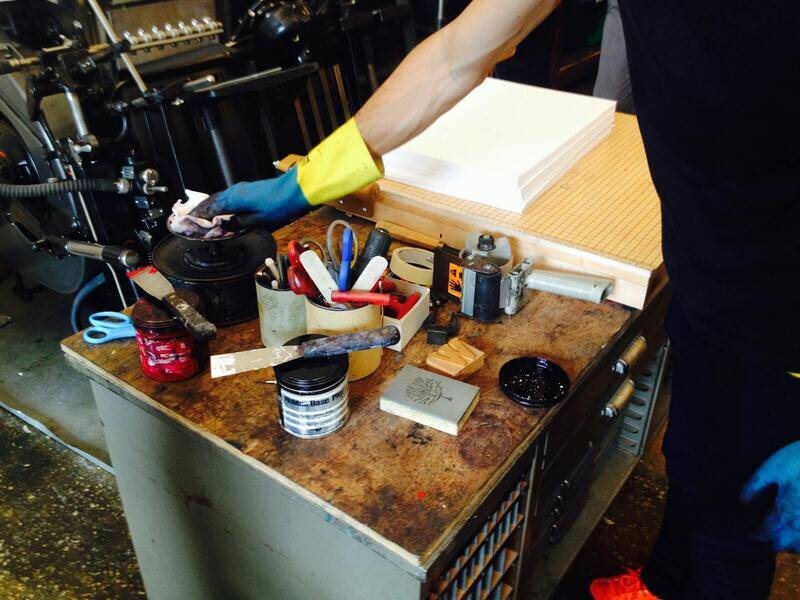
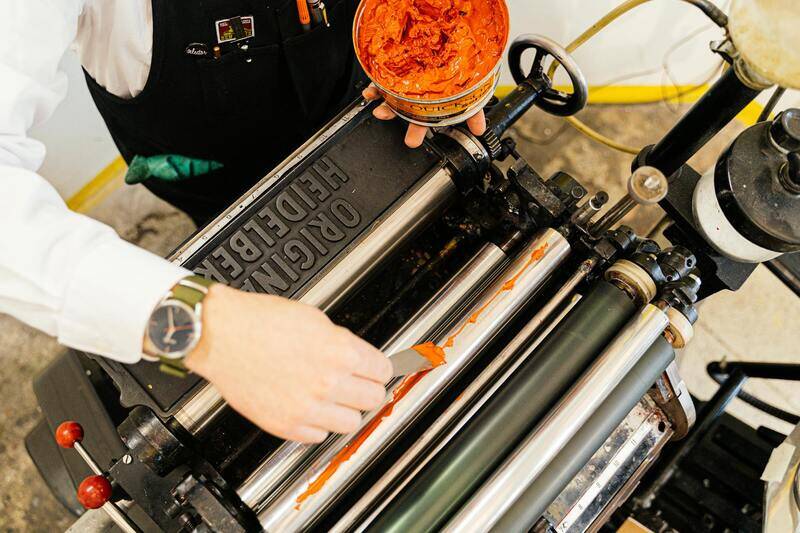
Letterpress and thermography are premium printing techniques that add texture and a tactile dimension, elevating the perceived value of your business cards. Letterpress uses engraved plates to press the design onto thick paper, creating a distinctive impression. Thermography creates raised ink effects, mimicking embossing at a lower cost. Both methods are well-regarded in Singapore’s professional circles for business cards that aim to impress.

Steps to Print Your Own Business Cards
- Design Development: Prepare your business card design using professional graphic design software or enlist the help of experienced designers to ensure clarity and alignment with your brand identity.
- Material Selection: Choose high-quality paper stock and finishes that reflect your brand's professionalism and visual appeal.
- Printing Method Selection: Decide on a printing process that aligns with your quantity, budget, and quality expectations.
- Vendor Evaluation: Research reputable local printing providers in Singapore that offer quality services and transparent pricing.
- Proofing and Approval: Request proofs from your chosen printer to review color accuracy, layout, and overall appearance before proceeding with the full run.
- Final Printing: Approve the final proof and coordinate the printing schedule to ensure timely delivery.
By following these steps, you control the production process and ensure that the finished business cards meet your standards and represent your brand effectively.
Legal and Quality Checks Before Printing
Before any business cards are printed, it is vital to undertake comprehensive checks that ensure the correspondence with your business standards and industry expectations. Verify that all the information on the design aligns accurately with your branding and contact details to prevent errors that could impact professionalism. It is recommended to cross-verify the spelling, phone numbers, email addresses, and website URLs thoroughly.
Moreover, reviewing the selected materials and finishes ensures that the quality meets your expectations. Confirm that the paper stock, coatings, and textures are appropriate for your professional image. Consider obtaining physical samples or proofs from the printing provider to assess the tactile feel and visual appearance before committing to a large print run.
Quality checks extended to adhering strictly to print specifications, including resolution, bleed areas, and color profiles, are essential. Using high-resolution artwork with CMYK color mode helps in achieving accurate color reproduction. Ensuring proper file formatting and following the printer's guidelines minimizes potential issues during printing.
Additionally, reviewing legal requirements regarding the inclusion of necessary certifications, licenses, or disclaimers—if applicable—is advised to maintain compliance with industry standards.

Implementing a DIY Business Card Printing Process
To successfully print your own business cards using legitimate methods, it’s essential to follow a structured process that ensures quality, professionalism, and adherence to best practices. Starting with the design phase, utilize vector-based software such as Adobe Illustrator or CorelDRAW to create crisp and scalable artwork. These programs support the necessary file formats and color modes that align with professional printing standards.
Before sending your design to print, conduct thorough reviews to confirm all details, including contact information, logos, and layout alignments. Engaging a trusted print service provider can facilitate access to high-resolution proofs, allowing you to examine your design in physical form. This step minimizes errors and ensures your business cards will meet your expectations when produced.

Next, choose the appropriate printing method based on your needs, budget, and desired quality. Digital printing is suitable for small batches and quick turnaround times, offering flexibility and cost-efficiency. Offset printing, on the other hand, provides high-quality results and is cost-effective for larger volumes.
For added durability and visual impact, consider specialized finishes such as matte, gloss, or spot UV coatings. Discuss these options with your printing provider to see samples and determine what best complements your design and brand identity. The choice of materials, such as thick cardstock or textured finishes, further influences the final look and feel of your business cards.

During the printing process, verify that all specifications, including dimensions, bleed areas, and color profiles, align with your design files. It is advisable to request a test print or sample run, especially when using new materials or finishes, to ensure compatibility and satisfaction with the final output.
Once the final proofs are approved, and all quality measures are in place, proceed with the full production run. Maintain clear communication with your printing partner throughout the process to address any issues promptly and to guarantee a seamless printing experience.
After receiving your printed business cards, inspect each batch thoroughly for consistency, color accuracy, and quality assurance. Proper handling and storage of these cards will preserve their condition over time, enabling you to make a good impression on potential clients and contacts. Reordering from a trusted printing provider ensures you’ll have access to quality materials and service in the future, helping sustain your professional image.
Legal and Quality Checks Before Printing
Before initiating the printing process for your own business cards, it is essential to conduct comprehensive checks to ensure both the integrity and quality of your design files. Double-check all design elements, including text, logos, and contact information, for accuracy and completeness. Verify that the resolution of images and graphics meets the recommended standards for print—generally at least 300 DPI—to prevent pixelation or blurriness in the final product. Ensure that color profiles are correctly set, typically using CMYK mode, to mimic the printing colors accurately. Properly aligned bleed areas should be incorporated to prevent unwanted white borders after trimming. It is advisable to review the layout on different screens and, if possible, on printed proof samples to confirm that colors and content appear as intended. Engaging in a test print or ordering a small batch can provide insight into how your design translates in the real-world printing environment. This step acts as a quality assurance measure, revealing any issues with color consistency, registration, or material compatibility before committing to a larger order. Collaborate closely with your chosen printing provider, sharing detailed specifications and requesting samples or proofs to approve before proceeding. Properly inspecting the proof copies, looking closely at color fidelity, edge quality, and overall finish, minimizes the risk of costly reprints and delays. Maintaining detailed records of approved proofs and specifications ensures clarity for subsequent reordering and helps safeguard consistent quality across all batches. The final stage before mass production involves a review of all aspects, including material choices, coating finishes, and the intended use of the cards, aligning these with your brand standards. By securing meticulous quality checks, you enhance the professionalism and impact of your printed business cards, contributing positively to your business image and networking efforts.
Legal and Quality Checks Before Printing
Prior to initiating the printing process for your business cards, it is essential to conduct thorough reviews focusing on compliance with health standards, accuracy of information, and adherence to brand guidelines. Ensuring that all contact details, including phone numbers, emails, and addresses, are correct and up-to-date reduces the risk of miscommunication and maintains professional integrity.
Additionally, verifying that the design elements meet industry standards and do not infringe upon copyrighted materials safeguards your reputation and operational sustainability. This includes confirming that logos or trademarks used are legally permitted and that any images or fonts incorporated are either owned or licensed for commercial use.
Performing quality checks on digital proofs involves inspecting color accuracy, font consistency, and layout alignment. Many printing services provide digital proofs for review, enabling you to identify potential issues before committing to physical prints. Paying close attention to margins, bleed areas, and overall print fidelity helps ensure the final product aligns with your brand image and expectations.
Once digital proof approval is secured, some businesses opt for a small batch test print. This step serves as a practical validation of the printing process, allowing you to evaluate whether the actual printed sample matches the digital proof in color vibrancy, print clarity, and material feel. Evaluating this sample helps prevent costly reprints and ensures that the chosen design and materials meet your standards.

Engaging with reputable printing providers who follow strict quality control practices enhances the consistency and professionalism of your final product. Always review their quality assurance procedures and request sample prints or proofs for approval before proceeding with larger orders. This diligence ensures your business cards will accurately reflect your brand and project a polished image.
By establishing clear expectations and meticulously reviewing every aspect of the design and print process, you minimize the risk of errors and produce high-quality business cards that create a strong, favorable impression on recipients. This proactive approach to quality control underscores your commitment to professionalism and attention to detail, key factors in successful networking and branding efforts.
Ensuring Print-Readiness and Final Checks
Before initiating the final print process for your business cards, it is essential to conduct thorough quality assurance checks. These checks help mitigate potential issues that could compromise the professional appearance of your cards. Begin by meticulously reviewing your digital design to confirm that all elements—logos, contact information, and any graphical components—are correctly positioned and free of typos. Confirm that the resolution of all images and text is at least 300 DPI to ensure sharp, clear output. Low-resolution graphics tend to appear pixelated or blurry when printed, which can diminish brand perception.
It is equally important to verify color accuracy. Colors should match your brand identity closely, which may involve consulting Pantone color guides and ensuring color profiles are embedded properly within your design files. This helps achieve consistent color reproduction across different printing batches. Additionally, double-check the bleed areas to ensure that design elements extend beyond the trim line by the required margin—typically 1/8 inch or 3 mm. This prevents unwanted white borders after cutting.
When your digital files are finalized, consider producing a physical proof or sample print. A tangible sample allows you to assess the actual print quality, paper feel, and color fidelity. Comparing the sample against your digital proof helps identify any discrepancies that need correction before mass production. If the sample meets expectations, you can proceed with confidence; if not, adjust your files and request another proof if necessary.
Legal and Compliance Verification
While formal legal approval may not be required for business card design, maintaining compliance with branding standards and intellectual property rights is vital. Ensure that all images, fonts, and graphical elements used are properly licensed or created in-house to avoid copyright infringement. Confirm that your contact details, titles, and any disclaimers adhere to industry or regulatory standards specific to your business sector. This step supports the production of a professional and compliant business card that enhances your brand authority.
Choosing the Optimal Printing Partner or Method
Deciding whether to print in-house or through a professional printing provider depends on your specific needs, volume, and quality expectations. If opting for in-house printing, invest in a high-quality printer capable of handling the desired paper types and finishes. For larger quantities or premium finishes, engaging with established printing services that follow strict quality control procedures can yield superior results. Such providers often offer proofs, color matching, and finishing options to meet your exact requirements.
Final Preparations and Files Submission
Once designs are approved, prepare your files according to the printer’s specifications. This includes embedding color profiles, adding crop marks, and exporting in appropriate formats such as PDF/X-1a or TIFF. Pack your files with clear instructions about quantities, finishes, and special instructions. Properly organized, accurate files reduce delays and ensure the final print accurately reflects your approved design.
Distributing and Maintaining Business Cards
Once your professionally printed business cards are in hand, the focus shifts to effectively leveraging them to expand your professional network and maintain relationships. Proper distribution strategies, careful storage, and regular updates are essential practices that maximize the value of your investment in business cards.
Effective Distribution Techniques
Distributing business cards strategically ensures they reach the right audience and leave a lasting impression. Consider the following methods:
- Personal Encounters: Hand out your cards during face-to-face meetings, networking events, conferences, and industry seminars. Approach conversations with confidence, offering your card at a natural point in the interaction to establish credibility.
- Incorporate into Presentations: Include your business card in presentation handouts or during product demonstrations to reinforce your brand identity. This approach encourages recipients to retain your contact details easily.
- Follow-up Communication: After meetings or consultations, send a follow-up email and include your business card as an attachment or a physical copy if appropriate. This not only keeps your contact fresh in their mind but also demonstrates professionalism.
- Partnerships and Collaborations: Exchange cards with potential partners, suppliers, or clients to foster future collaborations. Ensuring your card clearly communicates your value proposition helps build mutual trust.
- Workplace Strategies: Keep a supply of business cards at your workstation or reception area. Encourage colleagues to share your contact information when they identify potential opportunities.
Proper Storage Practices
Maintaining your business cards in pristine condition preserves their visual appeal and professional impression. Utilize dedicated cardholders or cases designed for business cards. Avoid storing cards in wallets along with items like keys or coins, which can cause damage or smudges. Organize your cards periodically—either alphabetically or by industry category—to facilitate quick access during networking activities.
Updating and Refreshing Your Business Cards
Regularly review your business cards to ensure all information remains accurate and relevant. Changes in contact details, job titles, or company branding necessitate updating your cards promptly. Consider designing new cards when launching a rebranding campaign or expanding your services to reflect your latest offerings accurately. Investing in high-quality printing with customization options allows for easy updates and revisions without a significant financial burden.
Additional Tips for Maximizing Business Card Impact
- Design Consistency: Ensure your card design aligns with your overall branding strategy, incorporating your logo, color palette, and fonts.
- Clarity and Readability: Use legible fonts and a clear layout. Avoid clutter by limiting the amount of information on your card.
- Special Features: Incorporate subtle design elements such as embossed logos or textured finishes to make your cards memorable without overdoing it.
- Digital Integration: Consider including QR codes that link to your website, online portfolio, or social media profiles. This modern approach complements physical cards and provides additional avenues for engagement.