Print Your Own Cards: A Comprehensive Guide to DIY Card Printing
Types of cards you can print yourself
Creating your own cards offers a versatile solution for various personal and professional needs. Among the most popular options are business cards, greeting cards, and ID cards. Each category serves a unique purpose and requires specific design considerations, but all can be produced with the right materials and equipment to ensure professional-looking results.
Business cards remain an essential tool for networking and branding. DIY printing allows for customization that reflects your brand's personality, whether through unique layouts, finishes, or personalized details. Greeting cards, on the other hand, are perfect for occasions such as birthdays, holidays, or thank-yous. They provide a canvas for creative expression, from intricate designs to heartfelt messages. ID cards are crucial for access control and identification purposes, often requiring durable materials and security features that can be achieved with specialized printing techniques.

Choosing the right materials and paper stocks
Selecting the appropriate materials is fundamental to achieving high-quality print results. For business and greeting cards, premium cardstock with smooth or matte finishes offers durability and a refined appearance. Thicker stocks, such as 300gsm or higher, provide a substantial feel that enhances perceived value. ID cards often require PVC or plastic sheets that can withstand daily handling.
Color fidelity and surface texture are also vital considerations. Glossy finishes can make colors pop, ideal for vibrant designs, while matte surfaces help reduce glare and facilitate writing on the cards. Specialty papers, such as textured or linen finishes, can add a tactile element that elevates the overall look.
It's essential to select materials compatible with your chosen printing method to prevent jams or smudging. Always check the printer manufacturer's specifications and recommendations before purchasing supplies.
Designing your cards effectively
Effective card design hinges on clarity, branding consistency, and visual appeal. Use design software that supports high-resolution output to ensure crisp details and sharp images. Elements such as logos, contact details, and call-to-action messages should be prominent yet balanced with aesthetic elements.
Maintain ample whitespace to prevent clutter and improve readability. Incorporate color schemes that align with your brand identity or personal style, and consider using templates tailored for the specific card type. For greeting cards, including meaningful images and thoughtful typography can create a memorable impression. ID cards benefit from clear photo placement, readable text, and designated areas for security features.
Printing methods and equipment options
The quality and durability of your printed cards largely depend on the printing technique employed. Inkjet and laser printers are the most accessible options for hobbyists and small-scale printing projects. Inkjet printers excel at producing vivid colors and detailed images on various paper stocks, while laser printers offer faster production speeds and sharper text, especially on thicker materials.
For higher-volume production or professional finishes, digital presses or offset printing may be considered. These methods provide consistent quality and can handle larger sheet sizes, reducing waste and costs in the long run.
It is advisable to use printers compatible with heavy-weight papers and specialty materials to avoid jamming or uneven printing. Investing in high-quality equipment can save time and deliver results that rival commercial printers.
Setting up your printer for optimal results
Proper preparation of your printer ensures the best possible output. Use the highest quality print settings, choosing the appropriate paper type from the printer menu to match your selected stock. Adjust color calibrations for color accuracy and consider print preview options to prevent misalignments.
Regular maintenance, such as cleaning print heads and checking ink or toner levels, is vital for consistent performance. Ensure your workspace is clean and dust-free to avoid defects in printed images or text.
For dual-sided printing, verify duplex settings and test with sample sheets to confirm proper alignment. Always perform test prints before running large batches to fine-tune settings and avoid material wastage.
Choosing the right materials and paper stocks
Selecting suitable materials is crucial to achieving professional-looking printed cards that are both durable and visually appealing. The choice of paper stock influences the texture, weight, and overall feel of your cards, which can significantly impact their presentation and usefulness.
Start by considering the purpose of your cards. For premium greeting cards or business cards, high-quality cardstock with a weight of 300gsm or more is recommended. Such thickness provides rigidity and a luxurious feel. For invitations or event cards, textured or specialty papers, like linen or embossed finishes, can add a touch of elegance and sophistication.
Waterproof and weather-resistant papers are ideal for outdoor use or situations where durability is a priority. These papers are often compatible with inkjet and laser printers, but it is advisable to verify the manufacturer's specifications to prevent printing issues.
For those seeking unique effects, specialty materials like translucent, metallic, or recycled papers can add distinctive visual elements. However, ensure your printer model supports these types of papers, as certain textured or thick stocks may require adjustments to print settings or specialized equipment.
Finish options also influence the final look:
- Matte finishes: Offer a non-reflective surface for easy reading and a subtle, understated appearance.
- Glossy finishes: Enhance colors and image sharpness, ideal for vibrant designs and photographic images.
- Satin finishes: Provide a balanced, semi-gloss look with moderate sheen, suitable for most applications.
Choosing the correct size and shape further complements your design. Standard dimensions like 3.5x2 inches for business cards or 5x7 inches for invitations are common, but custom shapes can also be achieved with appropriate paper stocks and cutting tools to create a unique impression.
Types of cards you can print yourself
When considering the variety of cards suitable for self-printing, it's essential to identify the purpose and design preferences. Business cards remain a popular choice for professionals aiming to leave a lasting impression on clients or contacts. These typically feature compact dimensions such as 3.5 x 2 inches and can be customized with logos, contact information, and branding elements. Event invitations, whether for weddings, corporate gatherings, or personal celebrations, often require more elaborate designs with unique shapes and textures to convey a sense of occasion.
Greeting cards serve as versatile options for personal messages, holidays, or special occasions. They often incorporate decorative elements and can be produced as flat or folded designs, providing flexibility in presentation. Promotional and marketing cards, like flyers or mini-brochures, allow businesses to communicate key messages effectively. Despite differences in complexity, all these card types can be produced at home or in small-scale printing setups with appropriate materials and techniques.
Specialty cards, such as gift tags, loyalty cards, or membership cards, may require specific features like adhesive backs, magnetic strips, or embossed finishes. These can often be created using specialized printable materials and accessories. The key aspect across all types remains the selection of compatible, high-quality paper stocks that align with the intended use, durability requirements, and aesthetic preferences.
Choosing the right materials and paper stocks
The foundation of professional-looking, durable cards lies in selecting appropriate printing materials. For most personal and business applications, premium cardstock is the optimal choice, offering robustness and a refined surface. Typically, weights ranging from 80 lb to 110 lb (216 g/m² to 300 g/m²) provide sufficient thickness for sturdy cards that withstand handling without being overly bulky.
Surface finishes significantly impact the visual appeal. Matte finishes are preferred for a sophisticated, understated look, reducing glare and making text easier to read. Glossy finishes, on the other hand, amplify vibrant colors and photographic details, making images pop with clarity. Satin or semi-gloss options strike a balance, providing sheen without the reflectivity of a full gloss.
Specialty papers open additional design avenues:
- Linen and Embossed Finishes: Impart texture, adding tactile richness and an air of exclusivity.
- Translucent and Metallic Papers: Create eye-catching effects suitable for luxury or artistic projects.
- Recycled and Eco-friendly Stocks: Appeal to environmentally conscious consumers and promote sustainability.
Compatibility is crucial; verify that your printer can handle the chosen paper thickness and type. Laser printers generally perform well with heavier stocks, while inkjet printers offer more flexibility with textured and specialty papers. Always consult manufacturer guidelines to prevent jams or printing issues.
Designing your cards effectively
Successful self-printed cards rely on well-thought-out designs. Prioritize clarity and simplicity by structuring information for easy recognition. Use high-resolution images (at least 300 dpi) to ensure sharpness, especially for logos and photographs. Balance between text and visuals, maintaining consistent margins and alignment.
Color schemes should align with branding or the message's tone. For professional cards, subdued palettes are often preferred, whereas festive or creative cards can experiment with bold hues. Utilize a color mode suitable for printing—generally CMYK—to predict final output accurately.
File formats matter: PDF is widely recommended for printing, as it preserves fonts, images, and layout integrity. Always embed or outline fonts to prevent discrepancies during printing. Consider creating bleed areas (+3mm) around your design to accommodate trimming and avoid unwanted white borders.
Adhering to these essential principles results in visually appealing cards that communicate your message effectively while maintaining a professional appearance.
Official Printing Techniques for DIY Card Creation
When embarking on the journey to print your own cards, selecting the proper printing technique is fundamental to achieving professional-quality results. The three primary methods suitable for DIY projects include inkjet printing, laser printing, and digital printing, each with distinct advantages tailored to different needs and preferences.
Inkjet Printing
Inkjet printers are popular for home-based card printing due to their affordability and ability to produce vibrant, full-color images. They work by spraying tiny droplets of liquid ink directly onto the paper, allowing for rich color blending and high-resolution outputs. For best results, use archival or specialty papers designed for inkjet printing, which help prevent smudging and ink bleed. When printing detailed designs or photographs, ensure your printer’s cartridges are full and calibrated for color accuracy. Inkjet printing is particularly suitable for short-run custom cards, invitations, and craft projects where creative flexibility is desired.
Laser Printing
Laser printers utilize a photoreceptive drum and toner to produce sharp, clean images and text. They excel in producing consistent, crisp prints on heavier card stocks, making them ideal for business cards, event cards, or any application requiring high durability and a polished finish. Such printers are usually faster than inkjet models and are well-suited for bulk printing. Their compatibility with thicker papers means you can choose more textured or matte stocks for a professional aesthetic. Proper calibration and using compatible papers will reduce the risk of paper jams and ensure uniform toner adhesion.
Digital Printing
Digital printing encompasses a broader category that includes both inkjet and laser transfer processes, often offered by professional print shops for small to medium-sized runs. This method is advantageous for achieving consistent color matching and high-quality output without the need for extensive setup. For those printing in larger quantities or requiring complex color management, consulting a professional digital printer can provide enhanced results while maintaining cost efficiency.
Equipment Considerations for DIY Card Printing
Choosing the right equipment is crucial to streamline your printing process and produce high-quality cards. When selecting a printer, consider factors such as resolution (DPI), color accuracy, paper handling capacity, and compatibility with various media types.
- Resolution: Aim for at least 600 DPI for detailed graphics and clear text.
- Paper Compatibility: Ensure your printer can handle heavy or textured stocks if desired.
- Color Capabilities: Opt for printers with wide color gamuts or adjustable color profiles for precise matching.
- Size and Tray Capacity: Verify that your device can accommodate the dimensions of your preferred card stock, typically ranging from standard business card sizes to custom dimensions.
Additionally, consider the availability of compatible inks or toners, maintenance requirements, and the availability of replacement parts. Proper maintenance and regular calibration are key to maintaining consistent output quality in the long term.
Types of cards you can print yourself
When embarking on the journey to print your own cards, understanding the variety of card types available is essential to match your objectives and ensure the final product meets your expectations. Common types include business cards, greeting cards, invitation cards, loyalty cards, and art prints. Each type has unique specifications and design considerations that influence choice of materials, printing techniques, and finishing processes.
Business cards are typically compact, requiring durable, high-quality card stocks to make a professional impression. Greeting and invitation cards often feature creative embellishments such as embossed, textured, or foil accents that can be emulated at home with appropriate materials. Loyalty cards, which commonly involve magnetic strips or QR codes, necessitate precise printing and finishing to ensure scanability and durability. Art prints may prioritize high-resolution images and fine details, calling for specialized paper stocks and advanced printers.
Choosing the right materials and paper stocks
The selection of materials and paper stocks plays a pivotal role in the quality and durability of your printed cards. Heavier weight paper, such as 300gsm or higher, is ideal for cards that need to convey professionalism and robustness, like business cards. For greeting or invitation cards, textured papers, such as linen or pearl finishes, offer a luxurious feel and enhance visual appeal.
Consider also the texture and finish based on the card’s purpose. Matte finishes diminish glare and are suitable for cards with detailed or colorful designs; gloss finishes enhance vibrancy and are perfect for photographic images. Special finishes like satin, soft-touch, or foil stamping can be applied during printing or as finishing processes to add distinct tactile qualities and visual accents.
Compatibility with your selected printer is crucial. Ensure your printer can handle thick or textured media without jams or misalignments. Testing small samples with various stocks can help identify the optimal choice before committing to larger print runs.
Designing your cards effectively
Crafting compelling and visually balanced designs is key to creating cards that stand out. Use design software that allows precise control over layout, color, and resolution. When designing, maintain high-resolution images (at least 300 DPI) and consider the bleed areas needed for full-bleed prints, ensuring images or background colors extend to the edges without white margins.
Keep text readability in mind; choose clear fonts and appropriate font sizes. Incorporate branding elements or personal touches that align with the card’s purpose. For multi-element designs, use grids or guides to align images and text consistently. Save files in compatible formats, such as PDF or TIFF, to preserve quality during printing.
Printing methods and equipment options
Among the most accessible printing options for personal use are inkjet and laser printers. Inkjet printers excel at handling a range of media types, including thick and textured papers, making them suitable for highly detailed and colorful designs. Laser printers provide sharper text and faster prints, which are advantageous for higher-volume projects, especially when using standard paper stocks.
For those seeking a more professional finish, wide-format inkjet printers designed specifically for printing on thicker media are available. They often feature advanced color management, high resolution (up to 1200 DPI), and precise media handling capabilities. Investing in a dedicated card printer can further streamline production, offering features like automatic cutting, embossing, or foil stamping options, though these are typically more suited for small business operations or enthusiasts committed to frequent, high-quality output.
Choosing the right materials and paper stocks
When printing your own cards, selecting appropriate materials and paper stocks is crucial to achieving a professional and durable result. The choice of paper can significantly influence the look, feel, and longevity of your cards. High-quality cardstock is generally recommended for most personal and small business projects. These are thicker than standard printing paper, offering a sturdy base that can withstand handling and mailing.
Opt for cardstock with a weight ranging from 80 lb to 130 lb (around 215 g to 350 g per square meter), depending on the intended use. Heavier weights tend to give a more premium feel, making your cards stand out. Texture options, such as linen or pearlescent finishes, can add an elegant touch, especially for greeting cards, invitations, or business cards that require a unique appearance.
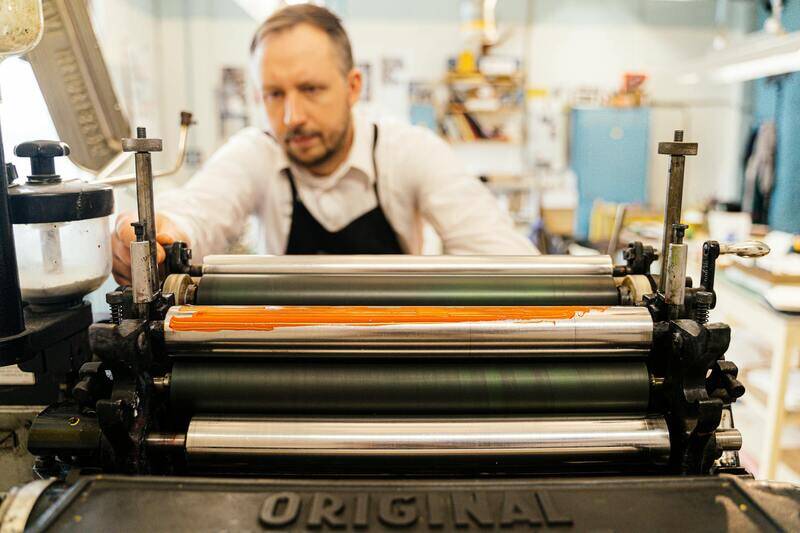
For designs that need vibrant colors or intricate details, selecting paper with a smooth or semi-gloss surface can help maximize print quality. Matte finishes are also popular, providing an understated, modern appearance and better readability for text-heavy designs. When dealing with textured papers, ensure your printer supports thicker media to avoid jams or smudges.
Foreign textured or specialty papers such as metallic or holographic options can add an eye-catching element, but check compatibility with your printing equipment beforehand. Using the correct paper type for your printer will not only improve the final look but also extend the lifespan of your machine by preventing unnecessary wear and tear.
Designing your cards effectively
Effective card design hinges on careful planning and understanding of layout principles. Start with a clear template that aligns with your card’s purpose. Whether creating business cards, greeting cards, or invitation cards, maintaining consistent margins and alignment ensures a polished appearance.
- Use high-resolution images (at least 300 DPI) to prevent pixelation and ensure clarity.
- Choose fonts that complement your design and ensure readability, especially for contact details or important messages.
- Incorporate branding elements or personal styles for a cohesive look.
- Balance text and visual elements to avoid overcrowding.
- Leave adequate white space to enhance visual appeal and readability.
Utilize design software such as Adobe Photoshop, Illustrator, or user-friendly programs like Canva. Save your projects in compatible formats, including PDF, TIFF, or high-resolution JPEG, to maintain quality during printing. Implement guidelines or grids within your design software to keep elements aligned and symmetrical.
Printing methods and equipment options
For personal projects, inkjet and laser printers are the most accessible options. Inkjet printers excel at handling thick and textured papers, producing vibrant color outputs that are ideal for decorative cards. They are particularly suitable for low-volume or highly colorful designs. Laser printers, on the other hand, are known for sharp text and fast printing speeds, making them a good choice for higher-volume jobs requiring clarity and efficiency.
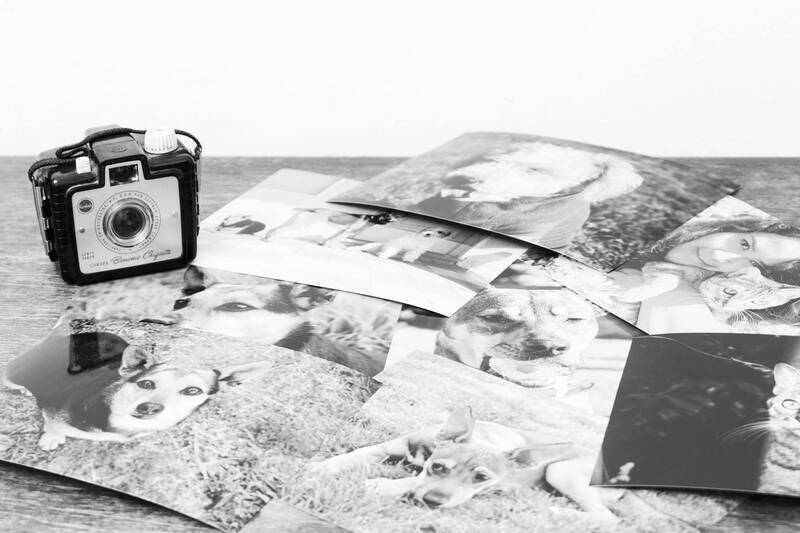
For those seeking a more professional quality, wide-format inkjet printers with high resolution (up to 1200 DPI) are available. These printers support printing on larger sheets and thicker media, providing greater flexibility and detail. Additionally, investing in a dedicated card printer can significantly streamline the process, as they often feature automated cutting, embossing, or foil-stamping capabilities, though these tend to be more suitable for frequent or business use.
Setting up your printer for optimal results
Properly configuring your printer settings is vital for achieving high-quality prints. Ensure that you select the correct media type in the printer preferences—such as thick cardstock or specialty paper—to optimize ink or toner application. Adjust the print quality settings to high or photo mode if available, especially when printing detailed artwork or photographs.
Perform print head alignments and calibration routines periodically to maintain color accuracy and sharpness. When printing on larger sheets, consider using a printing borderless setting to achieve full-bleed images that extend to the edges of your cards. Use test prints to fine-tune color profiles, especially if working with intricate or vibrant designs. Additionally, clean your printer regularly to prevent smudges or streaks, ensuring every card looks professional and clean.
Setting up your printer for optimal results
Achieving high-quality card prints requires meticulous configuration of your printer settings and routine maintenance. First and foremost, selecting the appropriate media type within your printer's preferences is essential. For cards, choose options like thick cardstock or specialty papers such as matte, gloss, or satin finishes, depending on the desired look and tactile feel. This ensures the printer applies ink or toner correctly, preventing smudging or uneven distribution.
Adjust the print quality settings to their highest or photo modes available. These modes utilize finer ink droplets and better resolution, resulting in sharper, more vibrant images. If your printer supports borderless printing, enabling this feature allows your designs to extend to the edges, creating a professional finish without white margins. This is particularly useful for designs that require full coverage or bleed effects.

Perform periodic print head alignments and calibration routines. Misalignment can cause blurring or color inconsistencies, diminishing the quality of your cards. Many printers have dedicated maintenance menus for these procedures, which are easy to access through the printer software or control panel. Regular calibration helps maintain color accuracy and sharp details, especially important when printing intricate designs or photographs.
Color management is equally critical. Use test prints to compare colors and adjust profiles accordingly. If working with vibrant or complex color schemes, consider using color calibration tools or software designed for accuracy. This can prevent issues such as color shifts or dullness in your final prints.
Cleaning your printer frequently is a simple yet vital step. Dust, dried ink, or debris can cause streaks, smudges, or uneven lines. Follow your printer manufacturer's instructions to run cleaning cycles, especially after long periods of inactivity or high-volume printing. Regular maintenance not only improves print quality but also prolongs the life of your equipment.
When printing on larger sheets or multiple cards simultaneously, utilize printing borders and margins to ensure proper spacing. Align your artwork precisely on the digital template to prevent miscuts or uneven edges during the finishing stages. Incorporate test prints to calibrate color profiles and layout accuracy before proceeding with bulk printing, saving time and resources in the long run.
Finalizing Your Customized Card Projects with Legal and Copyright Considerations
Successfully printing your own cards involves not only creative and technical skills but also a clear understanding of how to respect intellectual property rights and adhere to relevant legal standards. While the process of creating custom cards offers significant freedom in design and personalization, it is essential to ensure your projects align with legal guidelines to avoid potential complications and to uphold ethical standards.
Understanding Design Ownership and Trademarks
When developing your card designs, it's crucial to use original artwork or licensed materials. Incorporating copyrighted images, logos, or distinctive trademarks without appropriate permissions can lead to infringement issues. To mitigate this, utilize reputable sources that provide copyright-free or licensed assets, and make sure to attribute or purchase usage rights where necessary.
Moreover, if your cards feature elements associated with specific brands or services, double-check their guidelines regarding commercial or personal use. Respect for trademarked content not only helps maintain legal compliance but also preserves the integrity of your creative work.
Utilizing Licensed Fonts and Templates
Fonts and digital templates can significantly streamline the card creation process. However, not all resources are free for unrestricted use. Opt for fonts and templates that come with clear licensing terms—these might include royalty-free licenses, open-source agreements, or purchased commercial rights. This approach ensures your printed cards do not violate licensing conditions and remain compliant with intellectual property laws.
Ensuring Accurate Representation and Avoiding Misleading Information
When designing cards that include personal data, special offers, or event details, accuracy is paramount. Avoid misrepresentation or including false information that could mislead recipients or infringe upon privacy standards. For instance, permission should be obtained for including photographs of individuals or proprietary content that belongs to others.
Respecting Privacy and Data Protection
If your cards are intended for marketing, invitations, or containing personal details, familiarize yourself with the relevant data protection laws. Ensure sensitive information is handled securely and that reci In some cases, printing and distributing certain types of promotional or informational cards may be subject to local regulations or restrictions. Always verify whether any permits, disclosures, or specific formats are required to distribute your custom cards, especially if they involve promotional content or public distribution. By maintaining awareness of these legal and copyright considerations, you can confidently print your own cards, knowing that your creative pursuits respect legal standards and ethical practices. This proactive approach not only safeguards your projects but also ensures your personalized cards can be shared, gifted, or marketed without unnecessary legal risks. Reviewing Printing and Distribution Regulations