
Understanding Print Booklets Online
Printing booklets online has become a popular choice for businesses, organizations, and individuals seeking to produce professional-quality printed materials with convenience and efficiency. This process involves using digital platforms and online printing services to design, customize, and order printed booklets without the need to visit physical print stores. Leveraging online printing solutions offers a range of advantages, such as access to a wider variety of paper options, finishes, and binding styles, all accessible through user-friendly websites. The primary benefit of choosing the online route is the ability to manage the entire printing process from anywhere with an internet connection. Users can upload their designs directly to the printing platform, choose specifications, and receive their finished products delivered to their designated address. This method not only reduces time and effort but also enhances accuracy in the printing process, as digital files are directly transmitted to the print facility. Moreover, digital platforms often provide helpful tools and resources such as design templates, on-screen previews, and step-by-step guides to ensure that the final product aligns with the user's vision. Compared to traditional methods, online booklet printing offers greater flexibility in terms of order size, quick turnaround times, and access to competitive rates. The process generally involves selecting a reputable online printing service, such as those accessible via Singaporeprinting.org, preparing your design files according to specified formats, and configuring your print options—such as size, paper type, and finishing touches. Once the order is submitted and paid, the production phase begins, culminating in the delivery of high-quality printed booklets directly to your location. This approach is ideal for those who need consistent quality, scalable quantities, and professional presentation. It enables organizations to maintain branding standards and meet tight deadlines, all while benefiting from the streamlined convenience of digital ordering. Below are the key aspects that define online booklet printing:
- Efficiency and speed from digital file upload to delivery
- Access to a variety of printing options and customizations
- Cost-effectiveness through competitive pricing and bulk orders
- Enhanced accuracy with digital proofing tools
- Convenience of managing orders remotely

Design Requirements for Booklet Printing
Achieving a professional appearance for your printed booklet hinges on meeting specific design standards. Detailed attention to elements such as bleed, margins, and resolution ensures that your final product meets high-quality expectations and aligns with your branding objectives.
Understanding Bleed and Margins
Bleed refers to the area of your design that extends beyond the trim edge of the page. It prevents unwanted white borders and ensures that colors or images reach the very edge of the page after trimming. Typically, a bleed of at least 3mm is recommended. Margins need to be set thoughtfully, maintaining a safe zone inward from the trim edge to prevent important content from being cut off or appearing too close to the edge.
Resolution for Print-Quality Layouts
High-resolution files are crucial for crisp, clear images and text. A minimum of 300 DPI (dots per inch) is standard to avoid pixelation and ensure sharpness. Low-resolution files may result in blurry or jagged output, which can compromise the professionalism of your booklet.
File Formats and Layouts
Design files should be prepared in formats compatible with printing processes, such as PDF, TIFF, or EPS. PDFs are highly recommended due to their widespread acceptance and ability to embed all necessary fonts and images. When creating your layout, ensure that it follows the specified page size and incorporates the correct bleed and margin settings.
Color Mode Considerations
Convert your designs from RGB to CMYK color mode, as this is the standard for printing. CMYK ensures color accuracy and consistency in the final printed product, preventing unexpected hues or color shifts.
By adhering to these design guidelines, you help facilitate a smooth print process, minimize errors, and achieve a polished, high-quality booklet that effectively communicates your message. Many online printing platforms offer downloadable templates and detailed specifications to assist you in preparing print-ready files, ensuring your project progresses seamlessly from digital design to finished product.
Choosing the Right Paper and Finish
Selecting suitable paper and finishing options is essential to elevate the quality and longevity of your print booklet. Options range from various paper types, thicknesses, and finishes, each serving a different purpose and aesthetic. The choice depends on your intended use, target audience, and budget.
- Paper Types: Common options include matte, gloss, and satin finishes. Matte paper offers a non-reflective surface that enhances readability and lends an elegant, understated look. Gloss paper provides a shiny, vibrant appearance that makes colors pop, suitable for photo-rich content. Satin finishes strike a balance, offering smoothness with moderate gloss, ensuring durability without excessive glare.
- Thickness and Weight: Paper weight is measured in GSM (grams per square meter). Thicker paper, such as 170-300 GSM, imparts a premium feel and durability, making it ideal for covers and high-quality booklets. Lighter weights, around 80-120 GSM, are suitable for inner pages, reducing bulk while maintaining readability.
- Special Finishes: For additional protection and aesthetic appeal, options such as UV coating, matte lamination, or soft-touch finishes can be applied. These coatings enhance durability and provide tactile appeal, protecting against fingerprints, smudges, and wear over time.
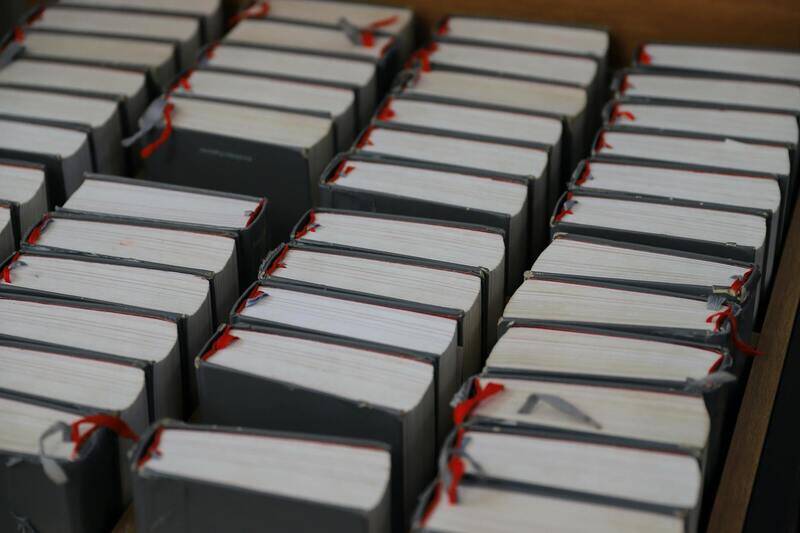
It's advisable to consult with your printing service provider to select the optimal combination based on your project goals. Many professional online printing platforms offer sample packs, enabling you to evaluate different paper types and finishes before finalizing your order. This proactive step helps to ensure your printed booklet aligns with your expectations and effectively communicates your message through tactile and visual quality.
Considerations for Finalizing Your Printing Specifications
Before proceeding, review your selections meticulously. Confirm that the paper weight aligns with the intended use—heavy cardstock for covers and lighter paper for internal pages. Decide on a finish that complements your design's style and durability needs. Ensuring these details are precise reduces the likelihood of the need for reprints or adjustments, saving time and costs in the production process.
By focusing on these elements—paper type, weight, and finish—you create a visual and tactile experience that reflects professionalism and attention to detail. This can significantly impact how your audience perceives your content, making your booklet a memorable and effective communication tool.
Ensuring Effective File Preparation for Print Booklets Online
Accurate file preparation is crucial to achieving a high-quality print booklet that meets your expectations. When submitting your files through online printing platforms, it’s important to adhere to specific standards and guidelines to avoid delays or unsatisfactory results.
- File Format and Resolution: Prepare your files in high-resolution formats, ideally PDFs, with a minimum of 300 dpi. This resolution ensures sharp images and crisp text, which are essential for professional-looking booklets.
- Color Mode: Use CMYK color mode, as it aligns with print production standards. RGB files may appear differently once printed, potentially leading to color discrepancies.
- Bleed and Margins: Incorporate bleed settings of at least 3mm around your design to prevent unwanted white edges post-trimming. Maintain consistent margins inside the text and images to avoid content being cut off.
- Fonts and Text: Embed fonts within your PDF to ensure text renders correctly. Avoid using overly decorative fonts that may be difficult to reproduce accurately at small sizes.
- Design Consistency: Confirm that the layout, fonts, and images are cohesive and align with your branding or project theme. Consistency maintains a professional appearance throughout the booklet.
Choosing the Right Customization Options for Your Print Booklet
Most online printing services offer a range of customization options, allowing you to tailor your booklet to specific stylistic and functional preferences. Understanding these options enables you to create a product that aligns with your goals.
- Cover Design and Material: Select from various cover finishes such as matte, gloss, or soft-touch lamination. Thick cover stocks provide durability and a premium feel, ideal for presentation or promotional booklets.
- Binding Types: Choose between saddle stitch (stapled), perfect binding (glued), or spiral binding, based on your booklet’s size, function, and desired aesthetic.
- Page Numbers and Inserts: Many platforms allow for additional features like page numbering, dividers, or inserts, enriching your booklet’s functionality and visual appeal.
- Special Effects: Incorporate foil stamping, spot UV coatings, or embossing for eye-catching elements that stand out and enhance your message.

Finalizing Your Files for a Seamless Printing Experience
Before submitting your booklet for printing, conduct a thorough review of your files. Check for issues such as incorrect color profiles, misplaced images, or typographical errors. Many online printing platforms offer digital proofing services, allowing you to preview your booklet in a format that closely resembles the final product.
- Proofing: Utilize the digital proof provided to verify layout, color accuracy, and content placement. Make necessary adjustments and request a hard copy sample if available.
- Approval: Once satisfied, approve the proof through the platform’s interface. Timely approval accelerates production and delivery deadlines.
- Backup Files: Save your final, approved files in multiple locations. This ensures you have a reference and can quickly make adjustments or reorder if needed.
Understanding Print Booklets Online
When opting for print booklets online, it is essential to familiarize yourself with the official methods that ensure the highest quality results. Reputable printing services operate through established online platforms that adhere strictly to industry standards for file submission, customization, and delivery. These services typically provide comprehensive guidelines and templates to aid customers in preparing their files correctly, minimizing errors and iterations. Furthermore, the process involves a secure upload system that supports various file formats, ensuring your artwork is preserved in the intended quality. Authentic online platforms also include features such as digital proofing and real-time status updates, allowing you to monitor your order's progress with confidence. By choosing authorized service providers, you access transparent pricing structures, reliable turnaround times, and professional customer support dedicated to helping you achieve a polished, professional-looking booklet without compromising on quality or detail.

Design Requirements for Booklet Printing
A successful online booklet begins with careful adherence to design parameters established by printing providers. Typically, each platform supplies detailed specifications outlining acceptable margins, bleed areas, and resolution requirements. It is crucial to submit files in high-resolution formats such as PDF, TIFF, or JPEG, with a recommended minimum of 300 DPI to ensure clarity. Color modes should align with the printing process, often requiring CMYK profiles to match final output colors accurately. Additionally, adhering to the designated trim lines prevents cropping issues, while avoiding text or important graphics too close to the edges ensures all content remains visible post-cutting. Incorporating bleed areas—extra space beyond the trim line—avoids unintentional white borders and maintains a professional finish. Some online platforms also suggest embedding fonts to prevent font substitution errors, ensuring your text appears exactly as designed.

File Preparation Checklist
- Use high-resolution images (at least 300 DPI)
- Embed or outline all fonts to avoid substitutions
- Maintain consistent color profiles (CMYK recommended)
- Include bleed margins (typically 3mm)
- Check for any spelling or design errors before submission
Choosing the Right Paper and Finish
Selecting appropriate paper weight and finish greatly influences the tactile feel and durability of your booklet. Reputable online printing services offer a variety of paper options, ranging from lightweight 80gsm papers suitable for drafts to premium 170gsm or higher stocks for finished products. The choice of finish, such as matte, gloss, or satin, affects the visual appeal and suitability for different purposes. Matte finishes provide a muted, non-reflective surface ideal for reading-intensive booklets, while gloss finishes enhance vibrancy and contrast for colorful graphics and photographs. Satin finishes strike a balance, offering both a subtle sheen and readability. For covers, thicker cardstock with additional lamination or UV coating can enhance durability and give a sophisticated appearance. It is advisable to consult with your printing provider about the best options based on your booklet’s purpose and expected handling to ensure a refined final product.

Understanding Print Booklets Online
When considering the production of print booklets through an online platform, understanding the full scope of available options and processes can significantly impact the outcome. Online booklet printing services typically offer a streamlined approach to craft professional materials, utilizing digital tools and advanced printing technology to deliver high-quality products efficiently. These platforms facilitate customization from design to delivery, ensuring that your specific requirements for size, format, and finish are met with precision. One pivotal factor in the online printing process is selecting a provider that guarantees accurate color representation, fast turnaround times, and reliable shipping options. Many services provide intuitive interfaces for uploading your designs, allowing for real-time previewing and adjustments before final submission. As a result, you have a clear understanding of how your booklet will appear once printed, minimizing errors and ensuring satisfaction. In addition to digital ease, reputable online printing companies maintain strict quality control measures throughout the production cycle. They utilize high-resolution printing equipment capable of reproducing intricate details and vibrant colors that match your digital files. This process ensures that your print booklets align with your envisioned aesthetic, whether for marketing materials, event programs, or informational brochures. Choosing the correct print method—such as digital or offset—depends largely on the order volume and desired quality level. For smaller batches or prototypes, digital printing offers flexibility and quick turnaround, whereas offset printing may be preferable for large quantities, delivering cost efficiency and consistent quality over extensive runs. Expert advice from online providers often extends beyond printing to include guidance on file specifications, paper choices, and finishing options. These recommendations help customers optimize their designs for printing, thereby producing a polished and professional final product. By leveraging reputable online services for booklet printing, clients can benefit from a seamless process that combines convenience with craftsmanship, ensuring their printed materials leave a lasting impression.
Understanding Print Booklets Online
When opting to print booklets online, it is essential to be aware of the official and reliable methods available to ensure a professional outcome. Reputable online printing services leverage advanced digital printing technology, which allows for high-resolution, full-color reproduction that captures every detail of your design. These services often provide intuitive interfaces for uploading your files, and many include comprehensive customization options to tailor your printed booklets precisely to your specifications.

To make the most of print booklet online services, users should prepare their digital files based on specific technical requirements. Proper formatting, including bleed lines, margins, and resolution, is crucial for achieving a clean and attractive final product. Most online providers offer detailed guidelines to assist customers in preparing their artwork correctly. By adhering to these standards, clients reduce the risk of errors such as misaligned content or color inconsistencies, leading to a seamless printing experience.
Design Requirements for Booklet Printing
Designing for online booklet printing involves ensuring that your artwork complies with technical specifications—particularly regarding file formats, color profiles, and layout dimensions. Commonly accepted file formats include PDF, TIFF, or high-quality JPEG, with PDF being the standard due to its stability and compatibility. It's also vital to embed fonts and ensure that images are set at a minimum resolution of 300 DPI to maintain clarity and detail in the printed result.
- Verify that your design includes bleed areas to prevent unwanted white borders after trimming.
- Keep critical text and images within safe margins to avoid cutting off important elements.
- Use CMYK color mode for consistent color output across devices and printers.
Many online services provide design templates compatible with various booklet sizes, simplifying layout creation and ensuring compliance with printing specifications. Utilizing these resources can streamline the process, especially for those new to booklet design.
Choosing the Right Paper and Finish
Selecting appropriate paper stock and finishing options is central to producing a professional booklet that aligns with your purpose. Standard choices include coated or uncoated papers, each offering different tactile qualities and visual effects. Coated papers, such as matte or gloss finishes, enhance vibrancy and sharpness, making them ideal for colorful graphics and images. Uncoated papers, on the other hand, provide a more natural feel, suitable for text-heavy documents or artistic projects.

If durability or a premium look is desired, options like matte lamination or soft-touch coatings can be added as finishing touches. These enhancements not only improve aesthetic appeal but also protect the printed surface from damage, ensuring your booklet maintains its quality over time.
Selecting Print Quantities and Sizes
The quantity and size of your printed booklet significantly impact costs and production time. Many online printing providers offer a variety of standard sizes—such as A4, A5, or custom dimensions—to match your specific needs. For smaller runs, digital printing is preferable because it allows for quick turnarounds without the setup costs associated with larger batches. Larger quantities often benefit from offset printing, which reduces per-unit costs and ensures consistent color quality across extensive prints.
- Determine the purpose of your booklet—marketing, educational, informational—and select a size that best showcases your content.
- Assess your target audience to estimate the needed quantity, balancing budget constraints with distribution goals.
- Consider fold and binding options that complement your selected size, enhancing usability and presentation.
Most online platforms permit order customization, where you can specify exact quantities and dimensions, enabling efficient planning and resource management.
Uploading Files and Customization Options
Uploading your design files to an online printing service should be straightforward. Reputable providers typically accept multiple file formats and incorporate built-in file validation to catch common errors. Before final submission, take advantage of available customization options—including binding styles (saddle-stitched, perfect bound), cover finishes, and additional features like foil stamping or embossing—to elevate your booklet's look.
Many online platforms also feature live previews, allowing you to see how your design will appear once printed. This step facilitates real-time adjustments, reducing revisions and ensuring that final printouts meet expectations.
Pricing, Turnaround Time, and Shipping
Transparent pricing structures are based on factors like page count, paper selection, quantity, and chosen finishing options. Reputable online printers offer competitive rates for varying budgets while maintaining quality standards. Turnaround times depend largely on production volume and shipping logistics but are typically expedited through local facilities, ensuring prompt delivery.
Shipping options vary from standard postal services to express couriers, with tracking capabilities available for peace of mind. Ordering in advance and understanding delivery timelines help coordinate distribution and ensure that your printed booklets arrive on schedule.
Tips for Successful Online Booklet Printing
Efficiently navigating the online booklet printing process involves a combination of preparation, attention to detail, and familiarity with best practices. To achieve uniformly high-quality printed booklets that meet your expectations, consider implementing the following strategies when working with your chosen printing platform.
Careful Preparation of Your Design Files
Commence with meticulous design preparation, ensuring that your artwork adheres to the specifications set by the printing service. Maintain consistent margins, resolution, and bleed areas to prevent any unintended cropping or misalignment post-printing. Embed fonts or convert text to outlines to prevent font compatibility issues, and double-check color modes—preferably CMYK—to guarantee color accuracy.

Utilize Quality Templates and Guidelines
Many online printing services provide downloadable templates aligned with specific paper sizes and binding styles. Use these templates to position your elements accurately, avoiding critical design components near the edges that could be trimmed during binding. Adhering to these guidelines minimizes errors and simplifies the printing workflow.
Order a Sample or Prototype
If your project has high visual or tactile requirements, requesting a sample or small batch before committing to a large print run can be invaluable. A physical proof helps you verify paper quality, color fidelity, and overall finish, providing an opportunity to make necessary adjustments beforehand.
Maintain Clear Communication and Confirm Details
Ensure that all instructions, including specific binding, finishing, and delivery preferences, are clearly communicated during the ordering process. Confirm all details before submission, including quantities, sizes, and special finishes. Staying in contact with customer support can also clarify any uncertainties related to file requirements or production timelines.
Monitor Progress and Track Orders
Use available tracking tools to stay updated on your order’s progress. Keeping track of your shipment allows for better planning and coordination, especially if your booklets are needed for events or distribution. React promptly to any notifications from the printer regarding issues or additional information needed.
Implement Post-Printing Quality Checks
Upon receipt, conduct a thorough review of the printed booklets—examining color consistency, binding quality, and overall craftsmanship. Identifying minor issues early permits timely correction for future orders, ensuring your printed materials consistently meet your standards.
By combining careful file management, strategic ordering, and attentive quality control, you maximize the benefits of online booklet printing services and produce professional, impactful printed materials tailored to your needs.
