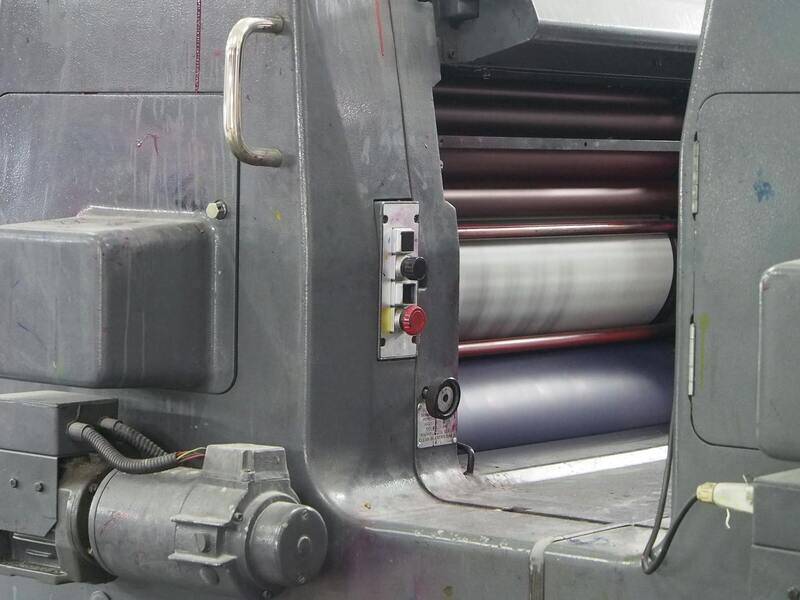
Understanding the Fastest Colour Printer Options
Types of Colour Printers and Their Speeds
Choosing the right colour printer requires a clear understanding of the different types available and their typical operation speeds. Each type of printer has unique mechanisms and technological capabilities that influence how quickly it can produce prints. The most common types include inkjet printers, laser printers, and LED printers, each differing significantly in their performance metrics.
Inkjet printers are known for high-quality photo printing but tend to have slower speeds, often ranging from 10 to 20 pages per minute (ppm). These printers utilize liquid ink droplets expelled through nozzles, which is efficient for detailed graphics but less so for high-volume tasks.
Laser printers, on the other hand, excel in producing high volumes of documents rapidly. They utilize a laser beam to transfer toner onto paper, achieving printing speeds typically from 20 ppm up to 60 ppm for professional-grade models. This makes them highly suitable for offices and environments where speed is essential.
LED printers are similar to laser printers but use a light-emitting diode array instead of a laser. They tend to offer comparable speeds, with some models reaching up to 70 ppm. Their design allows for faster printing cycles with reduced maintenance needs.
Key Features That Influence Printing Speed
Several features directly impact how fast a colour printer can operate. Understanding these features helps in selecting a device that meets specific speed requirements:
- Print Resolution: Higher DPI settings can slow down printing as more detailed output requires longer print cycles.
- Page Complexity: Complex graphics or color-intensive pages demand more processing power and time.
- Processor Speed: A faster processor reduces data processing time, expediting the print cycle.
- Connectivity and Data Transfer Rate: High-speed interfaces like Ethernet and USB 3.0 facilitate quicker data communication between the device and source computers.
- Memory Capacity: Increased memory allows for better handling of large files, reducing overall print time for complex documents.
Technologies Behind Fast Colour Printing
Advancements in printing technology have significantly boosted the speeds at which colour printers operate. Modern laser and LED printers incorporate features such as high-speed digital processing, sophisticated toner application mechanisms, and optimized paper handling systems. Moreover, innovations like multi-beam scanning and improved fusing technologies enable faster processing without sacrificing print quality. These tech developments ensure that businesses demanding high-volume colour printing can do so efficiently and reliably.
Measuring and Comparing Printing Speeds
Printing speed is typically measured in pages per minute (ppm), providing a straightforward means of comparison across different printer models. However, it is essential to consider the type of documents used when testing speeds; for instance, a speed test might involve plain text documents, whereas graphic-heavy pages may take longer to print.
Manufacturers often specify both the standard ppm and the duty cycle (the maximum number of pages the machine can handle monthly), assisting users in identifying the most suitable device based on expected workload and speed demands.
Top Fastest Colour Printers on the Market
Leading manufacturers have developed models specifically designed for high-speed colour printing. These include enterprise solutions capable of exceeding 70 ppm, suitable for large offices and print centers that require rapid turnaround times. Notable models feature integrated networking, high-capacity toners, and advanced processing units, all aimed at maximizing productivity.

Factors to Consider When Choosing a Fast Colour Printer
Speed is a crucial consideration, but it should be balanced with other factors such as print quality, cost-per-page, and operational cost. Selecting a machine with the right balance ensures sustained performance aligned with business needs. Additional considerations include:
- Print volume requirements
- Desired print resolution and colour fidelity
- Availability of suitable media handling features
- Connectivity options to enable seamless integration into existing workflows
Optimizing Printer Speed for Business Needs
To maximize printing efficiency, businesses should regularly maintain their printers, update firmware, and use the appropriate media types. Proper setup and scheduling of print jobs can reduce bottlenecks, ensuring consistent speed and productivity, especially during peak hours.
Future Trends in Fast Colour Printing
The future of high-speed colour printing lies in further technological innovations, including the incorporation of artificial intelligence for smarter print management, enhanced digital workflows, and more energy-efficient systems. Development of new toners and inks designed for rapid drying and higher throughput will continue to push the boundaries of what is achievable in fast colour printing, meeting the growing demands for speed and quality in various industries.
Key Features That Influence Printing Speed
When evaluating the speed capabilities of a colour printer, several hardware and software components play a critical role. Understanding these features helps businesses and individual users select a device that meets their rapid printing needs without compromising quality or efficiency.
- Print Engine: The core component responsible for transferring ink or toner onto paper. Modern high-speed printers are equipped with advanced print engines capable of processing multiple pages per minute. Features such as multi-pass technology and high-capacity toner delivery systems accelerate printing without sacrificing resolution.
- Processing Power: The internal CPU and memory capacity directly affect how fast a printer can analyze and execute print jobs. Powerful processors allow for quicker handling of complex, multi-colour documents, especially when printing high-resolution images or detailed graphics.
- Paper Handling Mechanisms: Efficient paper feed systems and duplexing units minimize delays tied to media management. High-speed printers typically feature larger paper trays and automated media switching, reducing manual intervention and enabling continuous operation.
- Print Buffers and Spooling: Advanced spooling technology allows print jobs to be queued and stored temporarily, smoothing out fluctuations in data transmission and reducing wait times.
- Connectivity and Network Capabilities: Ethernet, Wi-Fi, and cloud integration enable rapid printing across multiple devices and locations, facilitating faster workflows especially in enterprise environments.

Each of these features contributes synergistically to overall printing throughput. Selecting a model with robust processing units, optimized paper handling, and seamless connectivity ensures that high-volume colour printing tasks can be completed swiftly and reliably.
Technologies Behind Fast Colour Printing
High-speed inkjet and laser printing technologies form the backbone of rapid colour printing solutions. Each technology employs distinct mechanisms that influence overall production speed, precision, and operational efficiency.
Laser printing utilizes a laser beam to produce an electrostatic image on a drum, which then attracts toner particles corresponding to the image. This process allows for swift heating and fusing of toner onto paper, making laser printers particularly effective for high-volume, multi-colour printing tasks. Modern laser printers incorporate multi-pass engines and high-capacity toners, further reducing the time needed for each print job.
Inkjet printing, renowned for its ability to produce high-quality images, has evolved with advanced print head technologies that significantly increase output speed. High-speed inkjet printers utilize multiple nozzles operating simultaneously, allowing for rapid dispersal of tiny ink droplets onto the media. Some models include piezoelectric print heads capable of extensive multi-colour workflows, which expedite colour mixing and image rendering processes without compromising detail or colour fidelity.

Furthermore, innovations such as thermal transfer mechanisms in specific laser models and liquid-based ink systems in high-end inkjet printers contribute to faster drying times, reduced paper handling delays, and better print quality at high speeds. The integration of these tech features ensures that rapid, high-resolution printing is achievable across various business and professional contexts.
Modern manufacturing also focuses on improving the synchronization of print head movements, advancing the precision of media feeding, and incorporating sophisticated software algorithms that optimize print path and ink flow. These combined approaches are fundamental to attaining quicker turnaround times and boosting productivity in environments demanding fast colour printing.
Measuring and Comparing Printing Speeds
To accurately assess the performance of the fastest colour printers, understanding the metrics used to evaluate printing speed is essential. The most common measurement is pages per minute (PPM), which indicates how many pages a printer can produce within a standard time frame, typically one minute. This metric provides a straightforward comparison of a printer's throughput capabilities across different models and brands.
However, PPM alone may not fully capture a printer’s efficiency, especially in complex printing environments. Factors such as first-page-out time, which measures how quickly a printer begins printing after a job is sent, play a crucial role in overall productivity. For high-volume printing tasks, pages per minute metrics are supplemented with data on duty cycles, which specify the maximum number of pages a printer can handle per month without compromising performance or lifespan.
When comparing printers, consider the consistency of their speed under various workloads. Benchmark tests often simulate real-world usage, including colour-rich documents, graphics, and mixed-media printing. Evaluating the speed during these scenarios helps establish which models maintain high output levels without delays or quality drops. Additionally, some models feature adjustable settings that can prioritize speed over resolution when necessary, providing flexibility based on specific operational needs.
Objective comparison methods involve analyzing manufacturer specifications, independent testing results, and user reviews to gauge real-world performance. Always verify the conditions under which speed data was recorded, including media type, amount of colour coverage, and print quality settings, to ensure an accurate assessment aligned with operational demands.
Top Fastest Colour Printers on the Market
Factors to Consider When Choosing a Fast Colour Printer
Optimizing Printer Speed for Business Needs
Future Trends in Fast Colour Printing
Utilizing High-Speed Printing Features Effectively
To maximize the throughput of a fast colour printer, it is essential to effectively leverage its advanced features. Many modern high-speed printers come equipped with functionalities such as duplex printing, which allows double-sided pages to be printed simultaneously, cutting down on print time significantly. Automatic document feeders (ADFs) enhance productivity by enabling batch scanning, copying, or faxing of multiple pages without manual intervention.
Another critical feature to consider is the presence of large capacity paper trays. These trays reduce the frequency of refills, especially important in high-volume environments where continuous printing is required. Supply management tools, like intelligent toner and ink monitoring, help prevent unexpected downtime by alerting users when supplies are running low, ensuring smooth and consistent operation.
Enhanced processing power also contributes to faster printing speeds. Printers equipped with robust CPUs and ample RAM can process complex graphics and high-resolution images more swiftly. This is crucial in settings where detailed colour-rich documents are common, such as marketing agencies and design firms.
Furthermore, connectivity options like Ethernet, Wi-Fi, and cloud printing enable seamless integration into existing workflows, reducing downtime caused by transfer delays. Network-based printing minimizes the need for physical connections, speeding up the overall process in busy office environments.
Adjusting Print Settings for Optimal Speed
Many printers allow customization of print settings to prioritize speed over image resolution. Lowering print quality, choosing draft modes, or reducing colour saturation can dramatically increase output speeds without severely compromising document clarity for internal use. For high-stakes printing where quality cannot be compromised, it is important to find a balance between speed and output detail.
Utilizing print queue management software can also streamline job handling. These tools enable users to organize, prioritize, and monitor print jobs efficiently, ensuring urgent documents are processed promptly, and resources are allocated optimally.
Conclusion
Enhancing the productivity of a high-speed colour printer involves more than selecting a model with rapid specifications. It requires understanding and leveraging its built-in features, optimizing settings based on specific operational demands, and maintaining it properly. Businesses aiming to achieve the fastest possible output should consider these factors carefully when integrating printing solutions into their workflows, ensuring maximum efficiency without sacrificing quality.
Types of Colour Printers and Their Speeds
Color printers are available in various configurations, each with distinct speed characteristics suited to different operational needs. The primary types include inkjet, laser, and LED printers. Inkjet models, recognized for their affordability and high-quality color output, generally operate at slower speeds, making them ideal for low-volume or Graphic-intensive applications. Laser printers and LED printers, on the other hand, are engineered to deliver rapid printing speeds, often capable of handling high-volume jobs efficiently. Laser printers utilize a laser beam to transfer toner onto paper, resulting in faster production times and crisp text and images. LED printers use an array of LEDs as their light source, providing similar speed advantages but with a more streamlined design that can sometimes enhance reliability. The printing speed for these models is typically measured in pages per minute (PPM), with high-end laser and LED printers achieving speeds exceeding 50 PPM, suitable for demanding business environments demanding rapid turnaround of documents.

Impact of Printer Resolution on Speed
While striving for speed, it’s essential to consider the resolution at which printing occurs. Higher resolutions, such as 1200 dpi (dots per inch), deliver crisper images but may reduce overall printing speed due to increased data processing requirements. Conversely, lower resolutions like 600 dpi can expedite printing, especially for internal documents where fine detail is less critical. Balancing resolution and speed depends on the specific applications, with some printers offering adjustable settings to optimize workflow based on real-time needs.
Key Features That Influence Printing Speed
Several hardware and software features contribute significantly to the overall speed of colour printers. Essential attributes include:
- Print Buffer Size: A larger buffer allows for better management of data before printing, minimizing delays caused by data transfer.
- Processor Speed: Faster processors enable quicker image rendering and data processing, reducing wait times for complex jobs.
- Paper Handling Capability: Features such as dual trays and automatic duplex printing help streamline workflows, especially for high-volume tasks.
- Connectivity Options: Ethernet and Wi-Fi integration facilitate faster communication with various devices and network resources, boosting throughput.
- Firmware Optimization: Regularly updated firmware can improve printing algorithms and reduce processing latency.
Technologies Behind Fast Colour Printing
The advancement of specific printing technologies has driven significant improvements in speed, especially for high-demand settings. Key technologies include:
- Page Description Languages (PDLs): Protocols like PostScript and PCL enable faster communication between devices and print engines by optimizing how images and text are processed, translating complex graphics swiftly into printable data.
- High-Speed Laser Printing Technologies: Innovations such as high-frequency laser units and advanced toner formulations enable quicker melting and transfer processes, reducing cycle times per page.
- LED Technology: The use of LED array systems ensures uniform light exposure, decreasing print cycles and improving overall speed for high-volume colour printing.
- Enhanced Paper Path Engineering: Efficient paper processing paths reduce jams and speed up printing for various paper sizes and types.
Measuring and Comparing Printing Speeds
Printing speed traditionally revolves around pages per minute (PPM), but understanding how to compare models accurately requires considering other variables. For instance, some manufacturers specify speeds based on printing in draft mode, which significantly increases throughput but may compromise print quality. When evaluating printers, always confirm the testing conditions, such as paper type and print resolution, to ensure fair comparisons.
In addition, job complexity impacts real-world performance. A simple text document will print faster than a high-resolution color photo or a detailed graphic. Therefore, for effective assessment, look at overall workflow efficiency, including warm-up times, first-page out time, and duplex printing speeds. These metrics, combined with PPM, provide a comprehensive picture of a printer’s performance in practical scenarios.
Top Fastest Colour Printers on the Market
In today's competitive landscape, several models stand out for their exceptional speed capabilities, supporting high-volume and dynamic work environments. Notable examples include:
- Model X6500 Series: Capable of delivering up to 60 PPM in colour, featuring robust internal hardware optimized for enterprise workflows.
- Model Q9000: Known for its rapid duplex printing, reaching speeds of 55 PPM, with high-capacity input trays suitable for continuous operation.
- Model L21000: Utilizes advanced LED technology for consistent output speeds, achieving 50 PPM while maintaining high-quality colour accuracy.
- Model C8000: Designed for graphic-intensive tasks with speeds around 50 PPM, coupled with high-resolution output options for detailed images.
When selecting among these options, consider not only the raw speed figures but also how the printer's features align with your workflow demands, including connectivity, durability, and support services.
Factors to Consider When Choosing a Fast Colour Printer
When selecting a colour printer that truly meets your needs, focusing on specific functional aspects beyond raw speed is crucial. Understanding how different features influence overall performance helps in making an informed decision that aligns with your workflow requirements. The following key factors should be evaluated carefully:
Duty Cycle and Reliability
High-speed printers must handle frequent usage without experiencing breakdowns or significant downtime. The recommended monthly duty cycle indicates the maximum number of pages a printer can produce reliably within a month. For environments with high-volume printing, choosing a device with an ample duty cycle ensures durability and reduces the risk of operational interruptions.
Page Per Minute (PPM) Ratings
PPM remains a primary metric for assessing printing speed. A faster PPM count reflects more pages printed in a shorter timeframe, which is vital for busy offices or print shops. However, it’s important to consider that PPM figures often refer to acceptable test conditions and may vary based on document complexity. Real-world speed can be influenced by factors such as image size, color complexity, and print quality settings.
Warm-Up Time and First-Page Out Speed
Connections and startup delays directly affect workflow efficiency. Devices with minimal warm-up periods and quick first-page out times enable prompt responses to printing tasks, especially when rapid turnaround is necessary. Ensuring your chosen printer can get started swiftly minimizes delays and keeps productivity high.
Duplex Printing and Output Quality
Duplex (double-sided) printing speeds can significantly impact overall print throughput. Modern high-speed printers often incorporate duplex capabilities that do not compromise speed, enabling faster processing of double-sided documents. Concurrently, maintaining high image resolution and colour accuracy is essential, especially for professional graphic or marketing materials. Balance between speed and output quality ensures that prints are both fast and visually precise.
Connectivity and Compatibility
Fast colour printers should seamlessly integrate into existing digital workflows. Features such as Ethernet, Wi-Fi, and cloud compatibility facilitate efficient document sharing and multi-user access. Compatibility with various operating systems and support for mobile printing solutions further streamline the process, reducing bottlenecks caused by connection issues.
Support and Maintenance
Regular maintenance and access to reliable support services help sustain optimal printer performance. Choosing a manufacturer or provider with robust service plans ensures quick resolution of issues that could otherwise hinder operation, especially during critical high-volume tasks.

Considering these factors collectively allows organizations to select a fast colour printer that not only meets speed specifications but also aligns with operational workflows, quality standards, and long-term durability. A meticulous approach to evaluating these attributes ensures productive printing capacities and minimizes unforeseen setbacks in demanding settings.
Factors Influencing the Speed of Colour Printers
Beyond the core technology and build quality, several operational factors significantly impact the overall printing speed of colour printers. These include the complexity of print jobs, the resolution settings chosen, and the condition of the machine. For instance, printing high-resolution images with detailed graphics typically requires more processing time than simple text documents. Additionally, print queue management plays a crucial role in maintaining high throughput. Efficient queuing systems and print job prioritization can help prevent bottlenecks, ensuring that the fastest colour printers perform optimally under heavy workloads.
Impact of Print Resolution and Complexity
While high resolutions are desirable for professional-quality visuals, they inherently extend print times, especially for colour-rich images or detailed charts. To optimize speed without sacrificing quality, users should select appropriate resolution settings aligned with the intended output. For interior signage or presentation graphics, lower resolutions may suffice, allowing for faster production. Conversely, marketing materials requiring sharp visuals should be printed at higher resolutions, accepting a slight increase in print time because of the necessity for clarity and color vibrancy.
Role of Printer Maintenance and Upkeep
Consistent maintenance is essential for sustaining maximum printing speed. Dust, ink or toner buildup, and worn-out parts can degrade performance, causing delays or mechanical jams that halt printing workflows. Regularly updating firmware, calibrating color output, and performing routine cleaning procedures ensure the machine operates at peak efficiency. Modern printers often include self-diagnosis features that alert users to potential issues before they become major obstacles, thus minimizing downtime and maintaining consistent output speeds.
Managing Print Workflow and Network Integration
Effective workflow management, including network configuration, plays a vital role in maintaining high printing speeds. A well-integrated network with adequate bandwidth reduces latency and prevents congestion, especially in environments with multiple printing devices. Network security settings should also be optimized to avoid unnecessary authentication delays. For seamless operation, printers equipped with Wi-Fi or Ethernet connectivity allow staff to send jobs directly from mobile or cloud-based applications, reducing time-consuming steps and streamlining the overall process.
Practical Tips for Enhancing Printer Speed
- Use print preview features to review jobs before printing, avoiding unnecessary reprints due to errors.
- Limit the use of high-resolution settings unless required for professional outputs.
- Regularly update printer drivers and firmware to leverage performance improvements.
- Employ print management tools to prioritize urgent documents and manage queues effectively.
- Opt for printers with automatic duplex printing capabilities to save time on double-sided documents.
- Ensure the printer environment is free of dust and obstructions that could hinder mechanical movement.